
Now Reading: POCO F3 Main Flex Cable Replacement Guide – Redmi K40 / Xiaomi Mi 11x / 11i
-
01
POCO F3 Main Flex Cable Replacement Guide – Redmi K40 / Xiaomi Mi 11x / 11i
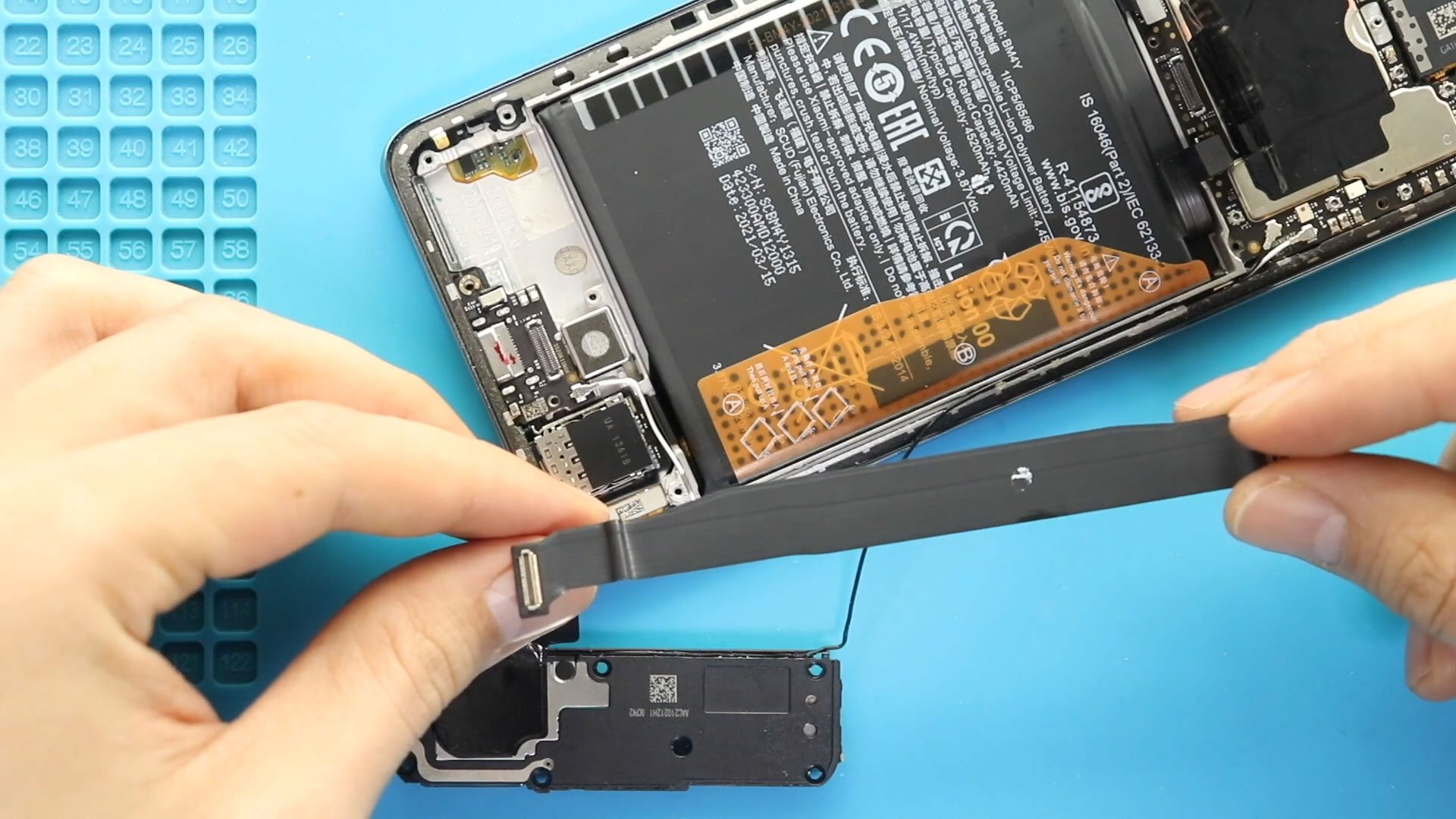
POCO F3 Main Flex Cable Replacement Guide – Redmi K40 / Xiaomi Mi 11x / 11i
Hi everyone, welcome back to Geardo.
Today, we will show you how to replace the main flex cable (interconnect cable) on the Poco F3, also known as the Xiaomi Mi 11X and Redmi K40.
If your phone has charging issues, no display, no signal, or random disconnections between components, a faulty main flex cable could be the cause. This guide is simple and beginner-friendly.
Repair Overview
- Device Type: Smartphone
- Repair Type: Main Flex Cable Replacement
Repair Difficulty: ★★☆☆☆ (Easy–Moderate)
- Estimated Time: 20–30 minutes
Reasons for Repair
- Phone not charging properly
- No display or intermittent screen issues
- Network signal problems
- Loose internal connection between boards
- Device not powering on intermittently
Before You Begin
Compatibility and Model Numbers
- Redmi K40 Series ( Redmi K40 / K40 Pro / K40 Pro Plus)
- Xiaomi 11x / 11i Series
- Poco F3 Series
Model Numbers : M2012K11AG, M2012K11AC, M2012K11C, M2012K11AI, M2012K11I
This guide is based on the Redmi K40, which shares identical design with the Poco F3 and Xiaomi Mi 11X / Xiaomi Mi 11i. These are rebranded regional models, but always watch for minor internal differences during the repair.
Tools Required
- Mobile phone heating pad or hairdryer/heat gun
- Plastic pry tool / card pry
- Suction cups
- Phillips #00/#000 screwdrivers
- Torx (T2/T3/T4) screwdrivers
- Flathead screwdriver
- Tweezers (for connectors)
- B7000 glue or double-sided adhesive (for back cover)
- Rubber bands or bonding clips to secure the back cover
How to Find Tools and Parts
- Heating pad – https://amzn.to/3H0tHzJ
- Portable Heat Gun – https://amzn.to/4mszih1
- Clamps https://amzn.to/3GYJT4w
- STREBITO 142 Piece Repair Tool Kit https://amzn.to/3UO1jUx
- Glue | Adhesive https://amzn.to/46exVxe
- Compatible Parts –
- Battery – https://amzn.to/4t0Aw6W
- Screen – https://amzn.to/48hkKfR
- Other Parts – https://amzn.to/4cF5E69
- Silicone Work Repair Mat https://amzn.to/45Emz5l
Protect Your Phone
- Best Premium Case https://amzn.to/4cF5E69
- Screen Protector https://amzn.to/423YP86
Important Note (Compatibility)
This guide is based on the Redmi K40, which shares identical internal design with the Poco F3 and Xiaomi Mi 11X. These are rebranded regional models, so the same steps apply.
Step-by-Step Main Flex Replacement
Step 1: Power Off & Remove SIM Tray
Turn off the device and remove the SIM tray.
Step 2: Open the Device & Remove Back Cover
- Apply gentle heat around the edges
- Use a suction cup to lift slightly
- Insert a plastic card/pry tool
- Carefully cut through adhesive and remove the back cover
Step 3: Remove the Board Frame
- Undo 11 screws
- Disconnect the flash connector
- Lift and remove the board frame
Step 4: Remove the Speaker Cover
- Undo screws securing the bottom speaker cover
- Lift the cover carefully
Step 5: Remove the Faulty Main Flex Cable
- Disconnect the main flex cable from both ends
- Gently lift and remove the cable from the device
Step 6: Install the New Main Flex Cable
- Place the new flex cable into position
- Connect both ends securely
- Ensure proper alignment and seating
Step 7: Reinstall the Speaker Cover
- Place the speaker cover back
- Secure it with screws
Step 8: Reinstall the Board Frame
- Place the frame
- Secure with 11 screws
- Reconnect the flash connector
Step 9: Test Before Closing
Power on the device and check:
- Charging functionality
- Display response
- Network signal
Step 10: Close the Device
- Apply adhesive if needed
- Place the back cover
- Press firmly around edges
- Use clips or rubber bands for proper bonding
FAQs
Q1: What does the main flex cable do?
It connects the main board to the charging board and other components.
Q2: Is this repair easy?
Yes, it’s one of the easier internal repairs.
Q3: Do I need to remove the battery?
No, but always disconnect power before working.
Q4: Can a faulty flex cause charging issues?
Yes, it can interrupt power transfer.
Q5: Should I replace it if the phone has no signal?
Yes, if other components are working fine.
Troubleshooting (After The Repair)
Q1: Phone still not charging
- Check cable connections
- Try a different charger
Q2: No display after repair
- Recheck display connector
- Ensure flex is properly seated
Q3: No network signal
- Check antenna connections
- Reinstall flex cable properly
Q4: Intermittent issues persist
- Ensure connectors are fully pressed
- Check for damaged ports
Q5: Back cover not sealing properly
Apply pressure with clips
Use new adhesive or B7000 glue
Related Guides


-
 01Samsung Galaxy A16 5G Battery Replacement | Full DIY Repair Guide
 -
02Samsung Galaxy A16 5G Screen Replacement | Step-by-Step Guide
-
03Google Pixel 6 Power Button Replacement Guide | Volume Button Flex Repair Guide- DIY Repair
-
04Samsung Galaxy A16 5G Back Cover & Camera Lens Frame Replacement Guide | DIY Repair
-
05Why a Heating Pad Is Essential for Mobile Phone Repairs (And How to Use it)
-
06How to Use a Heat Gun or Hair Dryer for Phone/Tablet Repairs
-
07Essential Repair Tools for Phone, Tablet & Laptop Repairs


