
Now Reading: DIY Xiaomi Redmi 9 | Redmi 9 Prime Camera Repair Guide
-
01
DIY Xiaomi Redmi 9 | Redmi 9 Prime Camera Repair Guide
DIY Xiaomi Redmi 9 | Redmi 9 Prime Camera Repair Guide
Before Starting, we need to have the right tools to proceed with the repair which you can find in the description.
First turn on the phone and take out the sim tray and then follow with the back cover removal. to remove the back cover create an opening near the charger port.
Insert a picker through the frame and back cover and then by using a plastic carpet or gently move around the phone release the plastic clips by the frame.
take out the background take out the main board frame by undoing screws undo 11 screws and lift the protector cover using a bright door and also do not forget to disconnect the flash plug and the shield.
take out the frame and disconnect the battery plug next disconnect the lcd main flex connectors and the antenna head to take off the logic board.
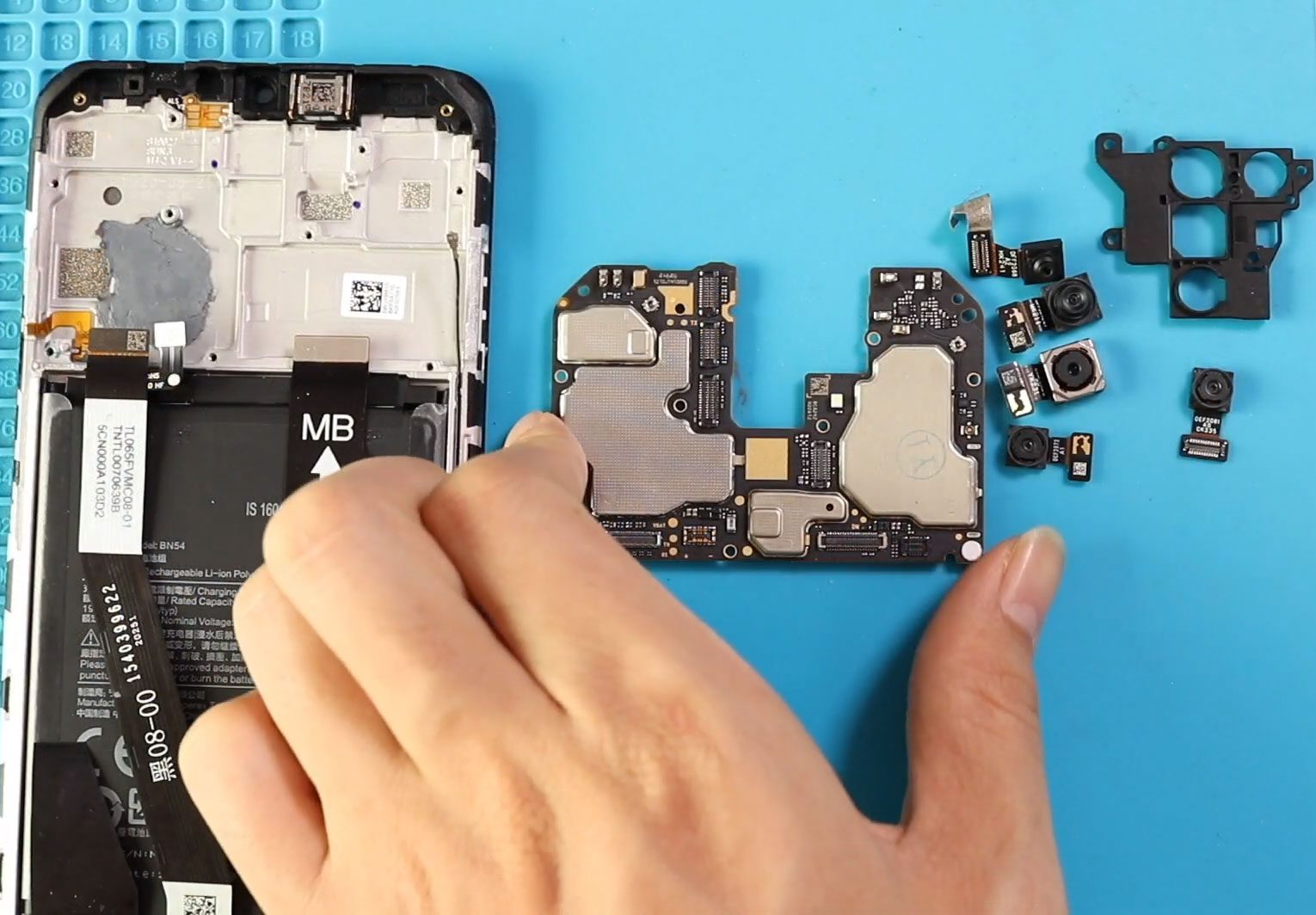
take out the board and take out the camera bracket.
next take out the required networking camera from the board there are total of five cameras including the front camera four camera connectors on the front side of the board while the depth camera connect is on the rear side of the board.
next place the required broken camera with a new unit and place it on the board.
next place the logic board and secure the camera bracket.
next connect the lcd battery main flex and antenna head into the board.
next place the board cover on the logic board by inserting 11 screws and also don’t forget to connect the flasher plug and the shield by adding the screw on the bottom right.
finally at the back cover and ensure the clips are secured and also don’t forget to add the sim tray.
hope you have enjoyed the replacement guide and let us know if you have any questions.


-
 01Samsung Galaxy A16 5G Battery Replacement | Full DIY Repair Guide
 -
02Samsung Galaxy A16 5G Screen Replacement | Step-by-Step Guide
-
03Google Pixel 6 Power Button Replacement Guide | Volume Button Flex Repair Guide- DIY Repair
-
04Samsung Galaxy A16 5G Back Cover & Camera Lens Frame Replacement Guide | DIY Repair
-
05Why a Heating Pad Is Essential for Mobile Phone Repairs (And How to Use it)
-
06How to Use a Heat Gun or Hair Dryer for Phone/Tablet Repairs
-
07Essential Repair Tools for Phone, Tablet & Laptop Repairs


