
Now Reading: DIY Xiaomi Redmi K20 | Mi 9T Pro Back Camera Repair Guide
-
01
DIY Xiaomi Redmi K20 | Mi 9T Pro Back Camera Repair Guide
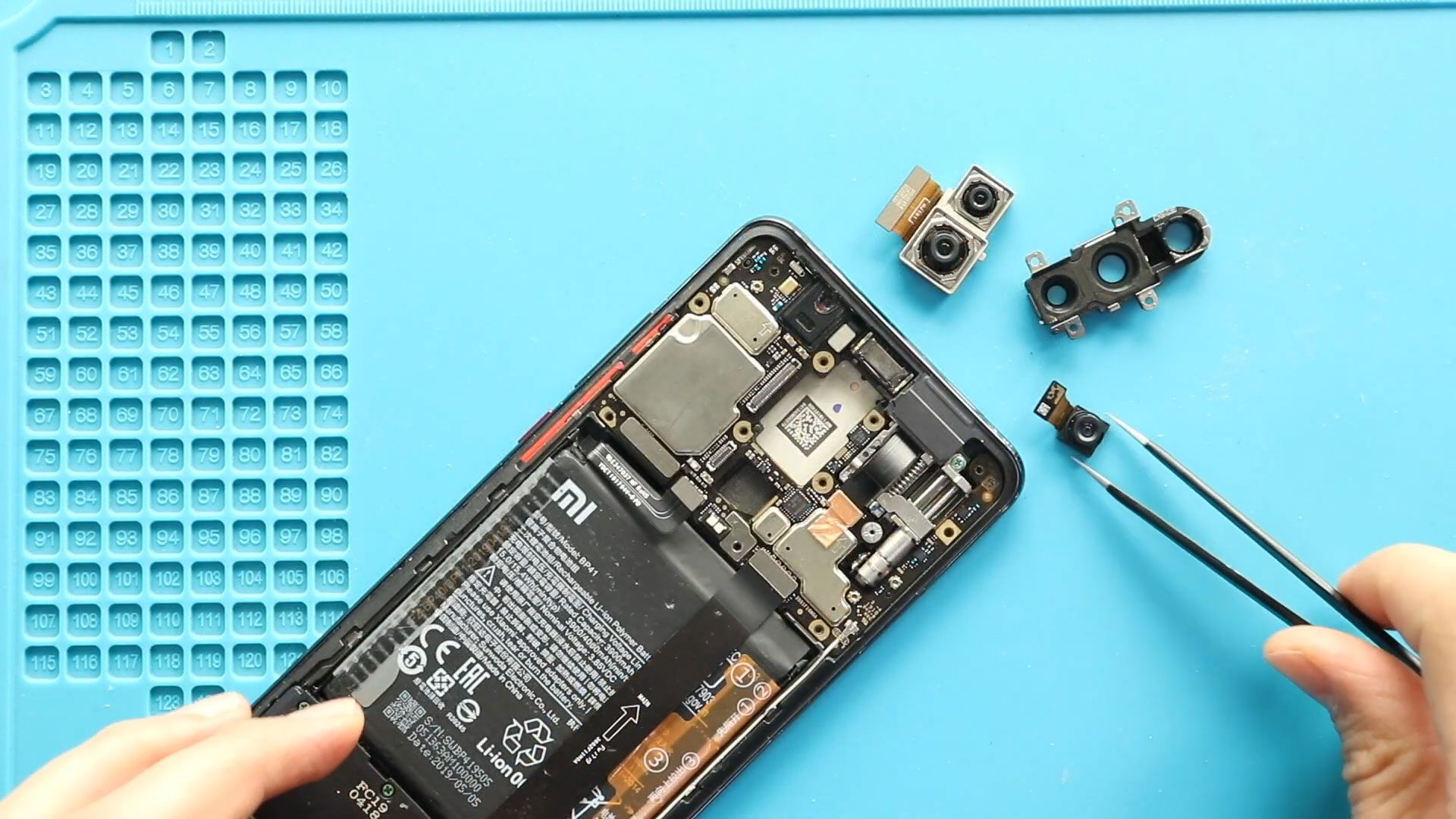
DIY Xiaomi Redmi K20 | Mi 9T Pro Back Camera Repair Guide
Before Starting, we need to have the right tools to proceed to the repair, which you can find in the description.
First, turn off the phone and take out the back cover. To remove the back cover, we are using a heating pad. Place the back side on the heating pad, select the mobile phone heating option, and leave it till it completes.
Alternatively, you can use a heat gun or hair dryer around the back cover edges. Once you feel the heating is enough, use a suction cup to lift the back cover. In between, insert a plastic card pry tool and gently cut the adhesive.
Next, take out the back cover and pull out the board frame by undoing 12 screws.
Next, disconnect the battery connector.
Next, gently pull out the camera lens frame from the board.
Next, disconnect and take out the ultrawide camera.
Next, disconnect and pull out the not working two in one main and telephoto cameras from the logic board.
Next, place and secure the new ultra-wide camera.
Next, place and secure the new twin on the main and telephoto cameras into the board.
Next, secure the battery connector.
Next, secure the board frame by adding 12 screws.
Before installing the main back cover, make sure it has enough glue. If not, use b7000 glue on your double-sided back adhesive.
Finally, we add in binding to tie in the back cover with the body. If not, you can use some rubber bands and leave them for some time.
Hope you have enjoyed the replacement guide. Let us know if you have any questions.


-
 01Samsung Galaxy A16 5G Battery Replacement | Full DIY Repair Guide
 -
02Samsung Galaxy A16 5G Screen Replacement | Step-by-Step Guide
-
03Google Pixel 6 Power Button Replacement Guide | Volume Button Flex Repair Guide- DIY Repair
-
04Samsung Galaxy A16 5G Back Cover & Camera Lens Frame Replacement Guide | DIY Repair
-
05Why a Heating Pad Is Essential for Mobile Phone Repairs (And How to Use it)
-
06How to Use a Heat Gun or Hair Dryer for Phone/Tablet Repairs
-
07Essential Repair Tools for Phone, Tablet & Laptop Repairs


