
Now Reading: iPhone XS Rear Camera Replacement Guide | Step-by-step Guide
-
01
iPhone XS Rear Camera Replacement Guide | Step-by-step Guide
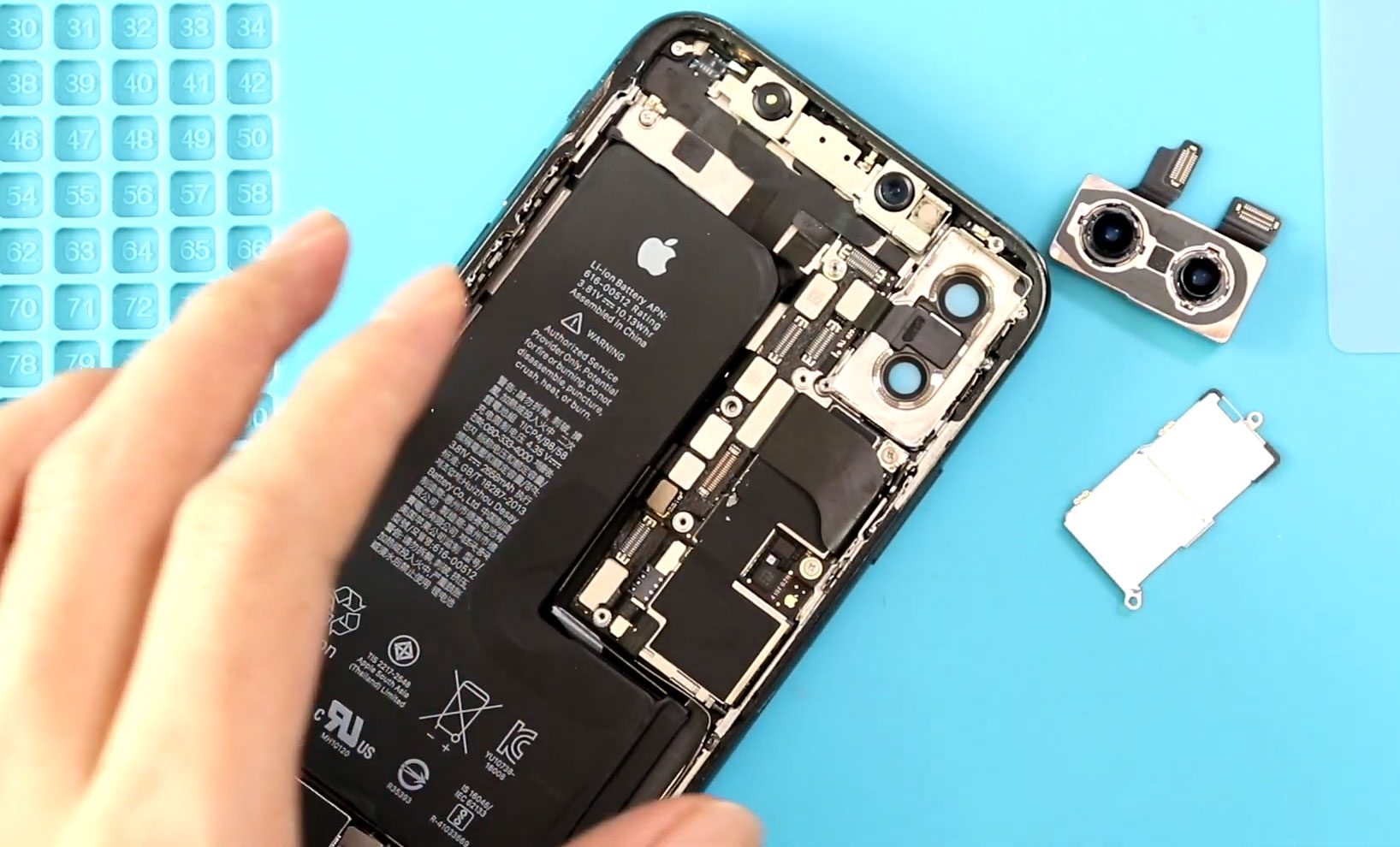
iPhone XS Rear Camera Replacement Guide | Step-by-step Guide
Hi everyone, welcome back to DIYGeardo. Today we are going to show you how to replace the rear camera on the iPhone XS mobile phone.
If your camera is blurry, not focusing, or completely not working, replacing the rear camera can restore your phone’s photo quality. This guide is designed for beginners, so you can follow along easily and complete the repair safely at home.
Before starting, make sure you have the right tools to proceed with the repair, which you can find in the description.
Repair Overview
- Device Type: Smartphone
- Device Model: iPhone XS
- Repair Type: Rear Camera Replacement
Repair Difficulty
⭐⭐⭐☆☆ (3/5 – Moderate)
Estimated Time
30–45 minutes
Reasons for Rear Camera Replacement
- Camera not focusing properly
- Blurry or distorted images
- Camera app not opening
- Black screen when using camera
- Physical damage to camera lens/module
Before You Begin
Compatibility and Model Numbers
- iPhone XS
This repair guide based on iPhone XS Model.
Model Numbers | A2097, A1920, A2100, A2098
Tools Required
- Heating pad / heat gun / hairdryer
- Suction cup
- Plastic card pry tools / opening picks
- Phillips PH000 screwdriver
- Pentalobe P2 Screwdriver (for bottom screws)
- Tri-Point Y000 Screwdriver
- Adhesive (B7000 or double-sided frame adhesive)
- Bonding clips or rubber bands (optional but recommended)
Using proper tools reduces the risk of damaging the phone.
How to Find Tools and Parts
- Heating pad – https://amzn.to/3H0tHzJ
- Portable Heat Gun – https://amzn.to/4mszih1
- Clamps https://amzn.to/3GYJT4w
- STREBITO 142 Piece Repair Tool Kit https://amzn.to/3UO1jUx
- Glue | Adhesive https://amzn.to/46exVxe
- Compatible Parts –
- Battery – https://amzn.to/4fI15YG
- Screen – https://amzn.to/3VIu2KN
- Other Parts – https://amzn.to/4n2vPq4
- Silicone Work Repair Mat https://amzn.to/45Emz5l
Protect Your iPhone X
2 in 1 Protection for Your iPhone XS https://amzn.to/46apLVC
Step-by-Step iPhone XS Rear Camera Replacement Guide
Step 1: Power Off & Remove Screws
Turn off the phone.
Remove the SIM tray.
Undo the two bottom screws using a Pentalobe screwdriver.
Step 2: Open the Display
Use a suction cup to lift the screen.
If needed:
- Use a plastic pry tool or triangle picker
- Carefully separate the adhesive around the frame
Step 3: Open the Screen
Lift the display gently, opening it like a book.
Avoid pulling it completely off.
Step 4: Remove Shield & Disconnect Display
Remove five screws to take off the protective shield.
Disconnect:
- Touch connector
- LCD connector
- Earpiece assembly connector
Step 5: Disconnect Rear Camera
Move to the top-right section of the phone.
- Disconnect the two connectors attached to the rear camera
- Remove two screws holding the camera shield
- Lift and remove the shield
Step 6: Remove the Camera
Carefully take out the rear camera module.
Step 7: Install New Camera
Place the new camera into position.
- Connect both camera connectors to the board
- Reinstall the camera shield
- Secure it with two screws
Step 8: Apply Adhesive Seal
Add the pre-cut water seal adhesive around the frame.
⚠️ Note: This does not fully restore waterproofing.
Step 9: Reconnect Display
Reconnect in order:
- LCD connector
- Touch connector
- Earpiece assembly connector
Ensure all connections are secure.
Reinstall the shield and tighten the five screws.
Step 10: Close the Device
Press the display back into place:
- Start from the top
- Then sides
- Then bottom
Apply even pressure along the frame.
Step 11: Final Assembly
Insert the SIM tray.
Tighten the two bottom screws.
FAQs
1. How do I know if my rear camera needs replacement?
If your photos are blurry, camera won’t focus, or shows a black screen, the module likely needs replacement.
2. Is this repair beginner-friendly?
Yes, but it requires careful handling of connectors and small screws.
3. Will replacing the camera fix blurry images?
Yes, if the issue is hardware-related, a new camera will restore image quality.
4. Do I need special calibration after replacing the camera?
No calibration is required for iPhone XS rear camera replacement.
5. Can I reuse the old adhesive seal?
It’s not recommended. Always use a new adhesive for proper sealing.
Troubleshooting (After The Repair)
1. Camera not working after replacement
- Check both camera connectors are properly attached
- Reopen and reconnect if necessary
2. Camera app shows black screen
- Ensure connectors are secure
- Restart the device
3. Blurry images after replacement
- Make sure protective film is removed from new camera
- Check camera lens alignment
4. Phone not closing properly
- Ensure cables are not trapped
- Align top edge first before pressing down
5. Face ID or sensors not working
- Check earpiece assembly connector
- Ensure it is properly seated
Final Thoughts
That’s it! You’ve successfully replaced the rear camera on your iPhone XS.
This repair can bring your phone’s camera back to life and save you the cost of a professional repair. Just follow each step carefully and take your time.
Hope you enjoyed the repair guide.
Let us know if you have any queries—please like, share, and comment on our videos.
And don’t forget to hit the subscribe button!
Related Guides


-
 01Samsung Galaxy A16 5G Battery Replacement | Full DIY Repair Guide
 -
02Samsung Galaxy A16 5G Screen Replacement | Step-by-Step Guide
-
03Google Pixel 6 Power Button Replacement Guide | Volume Button Flex Repair Guide- DIY Repair
-
04Samsung Galaxy A16 5G Back Cover & Camera Lens Frame Replacement Guide | DIY Repair
-
05Why a Heating Pad Is Essential for Mobile Phone Repairs (And How to Use it)
-
06How to Use a Heat Gun or Hair Dryer for Phone/Tablet Repairs
-
07Essential Repair Tools for Phone, Tablet & Laptop Repairs


