Now Reading: DIY OnePlus 7 Pro / 7T Back & Front Camera Repair Guide
-
01
DIY OnePlus 7 Pro / 7T Back & Front Camera Repair Guide
DIY OnePlus 7 Pro / 7T Back & Front Camera Repair Guide

Before Starting, we need to have the right tools to proceed with the repair, which you can find in the description.
First, turn off the phone and take out the sim try, followed by the back cover removal.
To remove the back cover, it needs to heat gently around the back cover edges until the paste adhesive becomes soft.
For this, we are using a heating pad. Place the back cover side on the heating pad and, select the mobile phone heating option, and leave it till it completes.
Alternatively, you can use a heat gun or hair dryer. Once the heating has been completed, use a suction cup crane opening between the frame and back cover.
Next, insert a plastic card pry tool or something similar to cut the adhesive around the back cover.
Be gentle when taking off the back cover. The flash sensor plug connects to the back, and the board first takes off the shield and then disconnects the plug to release the back power.
Take out the background and take off the main board frame by undoing 14 screws.
Next, unplug the battery connector on the left-hand side.
Next, take out the shield on the front camera module.
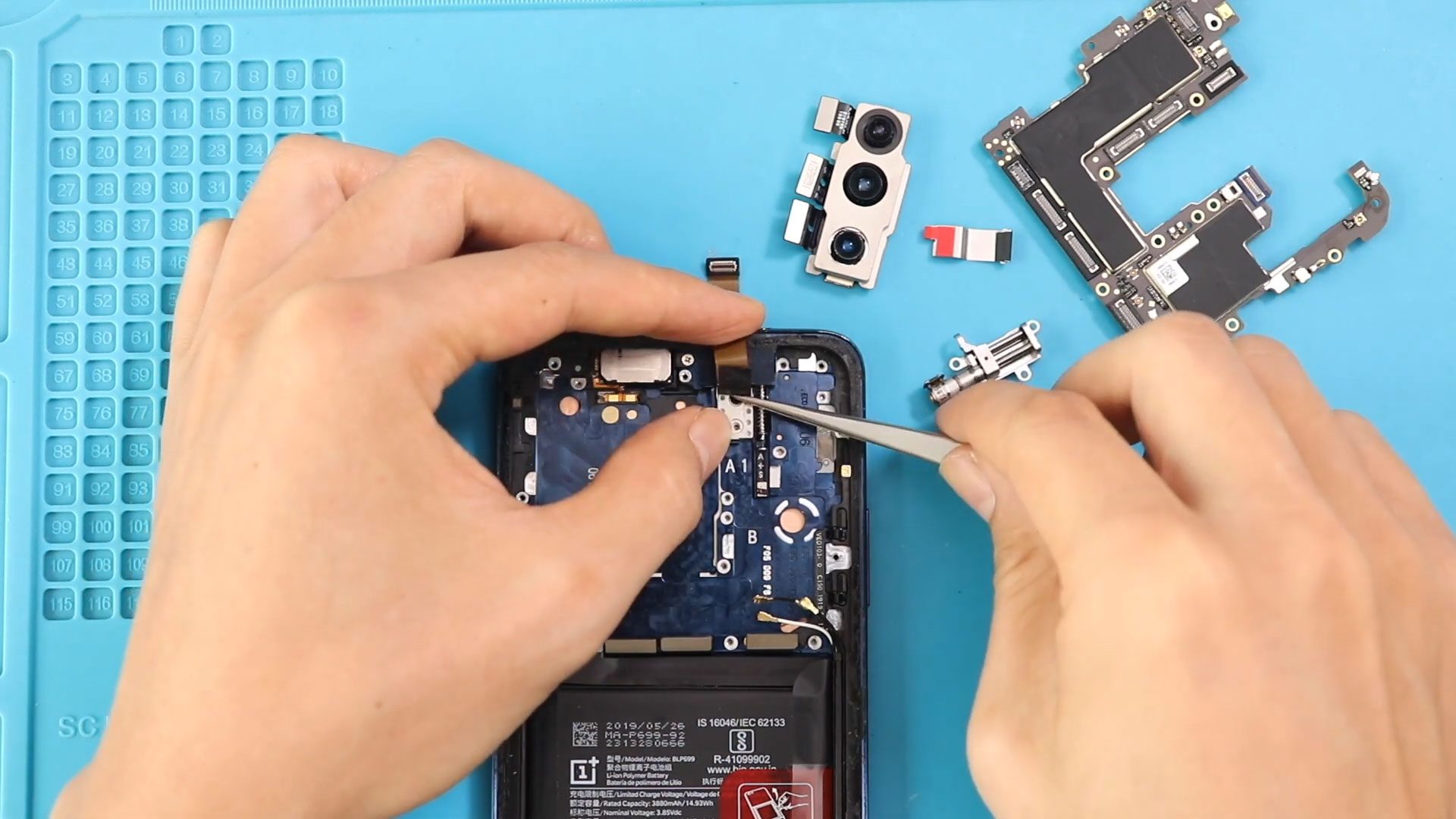
Next, disconnect the front camera, and three connectors plug on the rear camera module. A quick note: removing the logic board is unnecessary to remove and replace the rear camera module in the oneplus 7 pro mobile phone. If you have a broken rear camera, replace it and start closing the device.
Next, to take out the front camera, first, take out the logic board, release three connector plugs, and disconnect five antenna heads and two screws from the body.
Next, gently lift the board while moving the antennas and cables
Next, undo three screws and take out the front camera motor.
Next, move the cable and adhesive to undo two screws in the front camera module and then take out the front camera shield.
Next, gently push from the bottom and release the front camera model through the opening oneplus 7 Pro comes with a pop-up front camera, and it is slightly more complicated to remove than the regular front camera. Take out the front camera and then replace the new front camera in the body first. Place the front camera through the opening.
Next, secure the shield by adding two screws and also placing the adhesive.
Next, place the front camera motor in the body by securing three screws.
Next, slightly for the front camera, connector folding will help to connect the cable to the board.
Next, place the three-in-one-day camera module in the logic board by connecting three plugs.
While placing the logic board, be gentle and move the antennas and cables from the body.
Next, secure two screws to the logic board and then secure three connector blocks and fire antenna heads to the board.
Next, secure the front camera shield.
Next, plug in the battery plug and place the mainboard frame by securing 14 screws.
Next, insert the SIM tray, place the back cover on the body, and don’t forget to connect the flash sensor and the shield.
Before installing the main back cover make sure it has enough glue on it if not use b7000 glue on your double-sided backup adhesive.
Finally, we are adding binding to tighten in the back cover with the body. If not, you can use some rubber bands and leave them for some time.
Hope you have enjoyed the charging port replacement guide. Let us know if you have any questions.