Now Reading: Samsung Galaxy A71 Charging Port Replacement Guide| & Headphone & Microphone DIY Repair
-
01
Samsung Galaxy A71 Charging Port Replacement Guide| & Headphone & Microphone DIY Repair

Samsung Galaxy A71 Charging Port Replacement Guide| & Headphone & Microphone DIY Repair
Hi everyone, welcome back to Geardo.
Today, we will show you how to fix charging port board, microphone and headphone jack issues on the Samsung Galaxy A71 4G mobile phone.
If your phone is not charging properly, has loose cable connections, voice is not being picked up during calls, recordings sound unclear, or your headphone jack is not working, replacing the charging board is often the best fix. This guide is written in a beginner-friendly way, so just follow each step carefully.
🔧 Repair Overview
- Device Type: Smartphone
- Repair Type: Charging Port, Microphone & Headphone Jack Repair
- Repair Difficulty: ⭐⭐⭐⭐☆ (Moderate–Hard)
- Estimated Time: 45–60 minutes
🔍 Reasons for This Repair
- Microphone not working during calls
- Low or distorted voice recordings
- Headphone jack not detecting earphones
- Audio cutting in and out
- Dust or physical damage to charging board
- Phone not charging or slow charging
- Loose or damaged charging port
- Physical damage or corrosion
Before You Begin
Compatibility and Model Numbers
- Samsung Galaxy A71 4G
This repair guide based on Samsung Galaxy A71 4G Model.
Model Numbers | SM-A715F, SM-A715F/DS, SM-A715F/DSN, SM-A715F/DSM, SM-A715W, SM-A715X
Tools Required
- Mobile phone heating pad or hairdryer/heat gun
- Plastic pry tool / card pry
- Suction cups
- Phillips #00/#000 screwdrivers
- Tweezers (for connectors)
- B7000 glue or double-sided adhesive (for back cover)
- Rubber bands or bonding clips to secure the back cover
Using proper tools reduces the risk of damaging the phone.
How to Find Tools and Parts
- Heating pad – https://amzn.to/3H0tHzJ
- Portable Heat Gun – https://amzn.to/4mszih1
- Clamps https://amzn.to/3GYJT4w
- STREBITO 142 Piece Repair Tool Kit https://amzn.to/3UO1jUx
- Glue | Adhesive https://amzn.to/46exVxe
- Compatible Parts –
- Battery – https://amzn.to/4ogQEhS
- Screen – https://amzn.to/43nafEZ
- Other Parts – https://amzn.to/4oqla9h
- Silicone Work Repair Mat https://amzn.to/45Emz5l
Protect Your Galaxy A71
- Best Rated Case https://amzn.to/3WDBTd9
- Screen Protector https://amzn.to/42IPsvz
🎤 Step-by-Step Charging Port, Microphone & Headphone Repair Guide
Step 1: Heat the Back Cover
Gently heat around the edges of the back cover to soften the adhesive.
Step 2: Create Opening
Use a suction cup to create a gap between the back cover and frame.
Step 3: Remove Back Cover
Insert a plastic card or pry tool and carefully cut the adhesive. Remove the back cover.
Step 4: Remove SIM Tray
Eject the SIM tray before continuing.
Step 5: Remove Screws
Unscrew all 14 screws securing the mid-frame.
Step 6: Remove Mid-Frame
Use a pry tool to release clips and remove the mid-frame carefully.
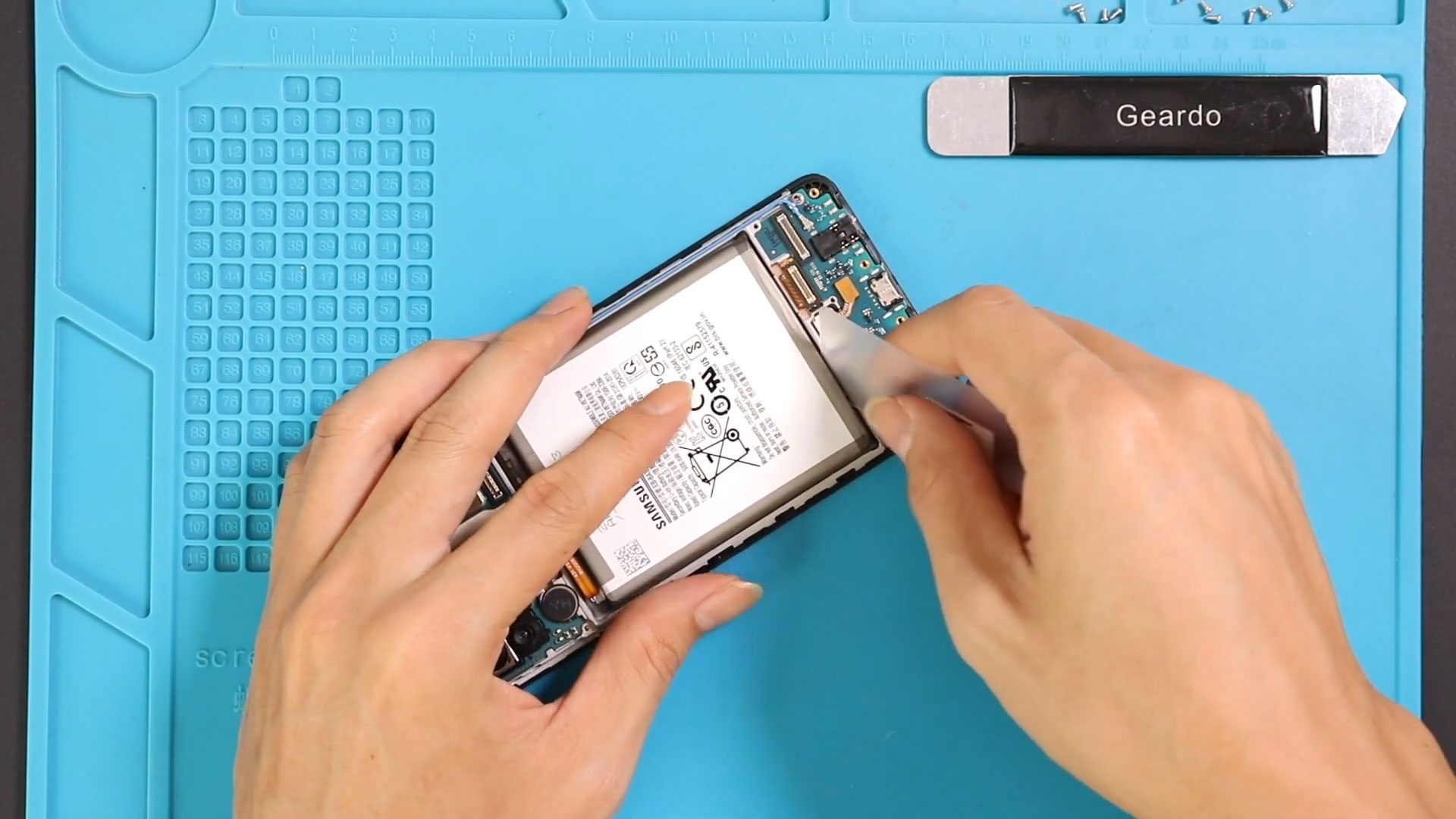
Step 7: Disconnect Battery
Disconnect the battery connector to avoid any short circuits.
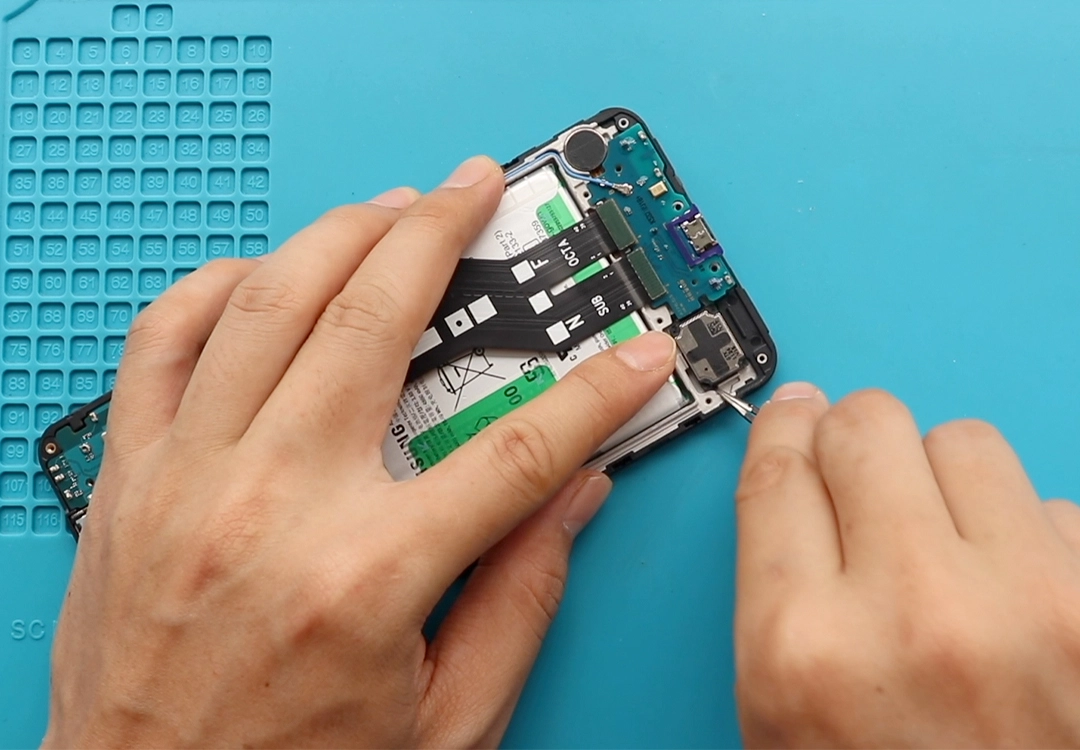
Step 8: Disconnect Components
Unplug the following from the charging board:
- Antenna cable
- LCD connector
- Main ribbon cable
- Fingerprint (touch ID) connector
Step 9: Disconnect Main Flex
Detach the main flex cable from the logic board.
Step 10: Remove Charging Board
Apply slight heat to soften the adhesive under the board.
Carefully lift and remove the faulty charging board (this includes microphone and headphone jack).
Step 11: Install New Board
Place the new charging port board into position.
Step 12: Reconnect Components
Reconnect:
- Fingerprint sensor
- LCD connector
- Main flex cable
- Antenna cable
Step 13: Reconnect Battery
Reconnect the battery connector.
Step 14: Reassemble Mid-Frame
Place the mid-frame back, secure clips, and tighten all screws.
Step 15: Seal Back Cover
Apply adhesive if needed.
Step 16: Final Assembly
Attach the back cover and secure it using clips or rubber bands. Leave it for proper bonding.
❓ FAQ (Frequently Asked Questions)
Q1: Why is my microphone not working on Galaxy A71?
The microphone is part of the charging board, so replacing it usually fixes the issue.
Q2: Will this fix headphone jack problems?
Yes, since the headphone jack is also on the same board.
Q3: Do I need to replace the entire charging board?
Yes, individual components are not easily repairable.
Q4: Is this repair safe for beginners?
It’s moderately difficult but doable if you follow the steps carefully.
Q5: Will this also fix charging issues?
Yes, replacing the board often resolves charging problems as well.
🔧 Troubleshooting (After The Repair)
Q1: Microphone still not working after repair?
Check all flex connections and ensure the board is properly seated.
Q2: Headphones not detected?
Make sure the headphone jack area is clean and properly aligned.
Q3: No sound during calls?
Reconnect the main flex cable and check speaker connections.
Q4: Phone not charging after repair?
Verify the charging board connection and battery connector.
Q5: Device not turning on?
Ensure the battery is connected and charged.
✅ Final Thoughts
Replacing the charging board on the Samsung Galaxy A71 4G is an effective solution for fixing microphone, headphone jack, and charging issues all at once. Take your time, follow each step carefully, and you’ll be able to complete this repair successfully.
If you have any questions, feel free to ask.
Related Guides