
Now Reading: Xiaomi Redmi 10 Earpiece Speaker Replacement Guide | Redmi 10 (2022) / Prime
-
01
Xiaomi Redmi 10 Earpiece Speaker Replacement Guide | Redmi 10 (2022) / Prime
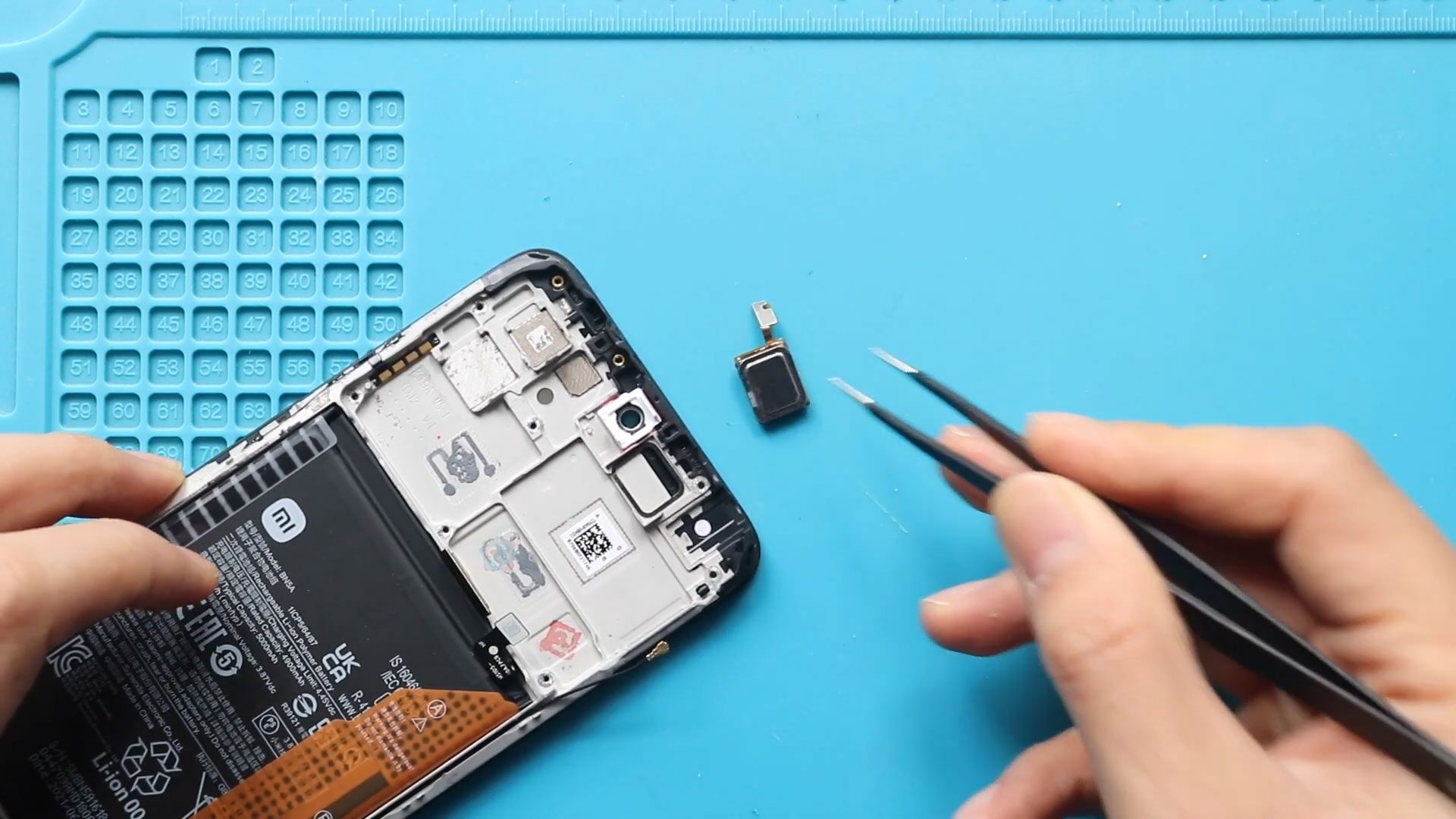
Xiaomi Redmi 10 Earpiece Speaker Replacement Guide | Redmi 10 (2022) / Prime
Please follow tIf you’re experiencing low call volume, distorted sound, crackling audio, or no sound during calls on your Xiaomi Redmi 10, the earpiece speaker may be faulty. This issue often occurs due to dust buildup, moisture exposure, or physical impact.
In this guide, you’ll learn how to replace the earpiece speaker on the Xiaomi Redmi 10 safely and correctly. Each repair stage is aligned with timestamps to make the process easier to follow for DIY users and technicians.
Repair Overview
Device Type: Smartphone
Device Model: Xiaomi Redmi 10
Repair Type: Earpiece Speaker Replacement
Estimated Time: 30–45 minutes
Repair Difficulty ⭐⭐⭐☆☆ (3/5)
Moderate difficulty – requires partial disassembly and careful handling of the logic board.
Reasons to Replace the Earpiece Speaker
You may need to replace the earpiece speaker if you experience:
- Very low call volume
- No sound during phone calls
- Distorted or crackling audio
- Sound works on speaker mode but not during calls
- Audio issues after liquid or dust exposure
Before You Begin
Compatibility and Model Numbers
- Redmi 10 (2021)
- Redmi 10 (2022)
- Redmi 10 Prime
Model Numbers : 21061119AG, 21061119DG, 21061119AL, 21121119SG, 22011119UY, 21121119VL, 22011119TI
Tools Required
- Mobile phone heating pad or hairdryer/heat gun
- Plastic pry tool / card pry
- Suction cups
- Phillips #00/#000 screwdrivers
- Torx (T2/T3/T4) screwdrivers
- Flathead screwdriver
- Tweezers (for connectors)
- B7000 glue or double-sided adhesive (for back cover)
- Rubber bands or bonding clips to secure the back cover
How to Find Tools and Parts
- Heating pad – https://amzn.to/3H0tHzJ
- Portable Heat Gun – https://amzn.to/4mszih1
- Clamps https://amzn.to/3GYJT4w
- STREBITO 142 Piece Repair Tool Kit https://amzn.to/3UO1jUx
- Glue | Adhesive https://amzn.to/46exVxe
- Compatible Parts –
- Battery – https://amzn.to/4o4KC48
- Screen – https://amzn.to/47AklVA
- Other Parts – https://amzn.to/48JAWrg
- Silicone Work Repair Mat https://amzn.to/45Emz5l
Protect Your Redmi 10 Series
- Best Premium Case https://amzn.to/4neZMTd
- Screen Protector https://amzn.to/4qtDKza
Step-by-Step Xiaomi Redmi 10 Earpiece Speaker Replacement
Step 1: Introduction & Preparation
Power off your Xiaomi Redmi 10 completely before starting the repair.
Step 2: Opening the Redmi 10
Place the device on a clean, heat-resistant surface and prepare it for disassembly.
Step 3: Removing the Back Cover
Heat gently around the rear cover edges until the adhesive softens.
Using a heating pad, place the back cover side down, select the mobile phone heating option, and wait for completion.
Alternatively, use a heat gun or hairdryer.
Create an opening using a suction cup, insert a plastic card or pry tool, and cut through the adhesive.
Carefully remove the back cover.
Step 4: Removing the Camera Lens Frame
Undo five screws securing the camera lens frame and remove it from the device.
Step 5: Removing the Midframe
Undo eleven screws securing the midframe.
Remove the SIM tray, disconnect the fingerprint flex cable, and gently separate the midframe using a plastic pry tool.
Step 6: Removing the Logic Board
Disconnect the required connectors and antenna cable from the logic board.
Carefully lift and remove the logic board from the body.
Step 7: Removing the Faulty Earpiece Speaker
Gently pry out the non-working earpiece speaker from its slot.
Remove any remaining adhesive or debris.
Step 8: Installing the New Earpiece Speaker
Place the new earpiece speaker into position.
Ensure it sits flat and aligns correctly with the contact points.
Step 9: Reinstalling the Logic Board
Carefully place the logic board back into position.
Reconnect all previously disconnected connectors and antenna cable.
Step 10: Reinstalling the Midframe
Reconnect the fingerprint flex and battery connector.
Secure the midframe and ensure all clips are fastened properly.
Step 11: Reinstalling the Camera Lens Frame
Place the camera lens frame back into position and secure it using five screws.
Step 12: Installing the Back Cover
Check whether the back cover has sufficient adhesive.
If required, apply B7000 glue or new double-sided adhesive.
Place the back cover onto the body.
Step 13: Closing & Binding the Back Cover
Secure the back cover using bonding clips or rubber bands.
Leave the device undisturbed for some time to allow the adhesive to cure properly.
Frequently Asked Questions (FAQ)
Q1: Will replacing the earpiece speaker fix low call volume?
Yes, if the issue is caused by a faulty earpiece speaker, replacement will restore normal call volume.
Q2: Does this repair affect the loudspeaker?
No. The earpiece speaker and loudspeaker are separate components.
Q3: Should I clean the earpiece grill before replacing the speaker?
Yes. Cleaning dust and debris can improve sound quality and prevent future issues.
Q4: Do I need adhesive for the earpiece speaker?
Usually no, but ensure it fits securely and sits flat in its slot.
Troubleshooting After Earpiece Replacement
Q1: Still no sound during calls
Check that the earpiece speaker contacts and logic board connectors are properly seated.
Q2: Sound is very low after replacement
Ensure the earpiece speaker is aligned correctly and not blocked by dust or adhesive.
Q3: Phone not powering on after reassembly
Recheck the battery connector and logic board connections.
Q4: Back cover not sticking properly
Apply additional adhesive and use bonding clips for a longer period.
Final Note
After completing the repair, test call audio thoroughly before regular use.
Make a test call, adjust call volume, and ensure sound is clear and consistent.
Allow the back cover adhesive to cure fully to ensure long-term durability.
Related Guides


-
 01Samsung Galaxy A16 5G Battery Replacement | Full DIY Repair Guide
 -
02Samsung Galaxy A16 5G Screen Replacement | Step-by-Step Guide
-
03Google Pixel 6 Power Button Replacement Guide | Volume Button Flex Repair Guide- DIY Repair
-
04Samsung Galaxy A16 5G Back Cover & Camera Lens Frame Replacement Guide | DIY Repair
-
05Why a Heating Pad Is Essential for Mobile Phone Repairs (And How to Use it)
-
06How to Use a Heat Gun or Hair Dryer for Phone/Tablet Repairs
-
07Essential Repair Tools for Phone, Tablet & Laptop Repairs


