Now Reading: iPhone 12 Screen Replacement Guide | Step-by-Step DIY Guide
-
01
iPhone 12 Screen Replacement Guide | Step-by-Step DIY Guide
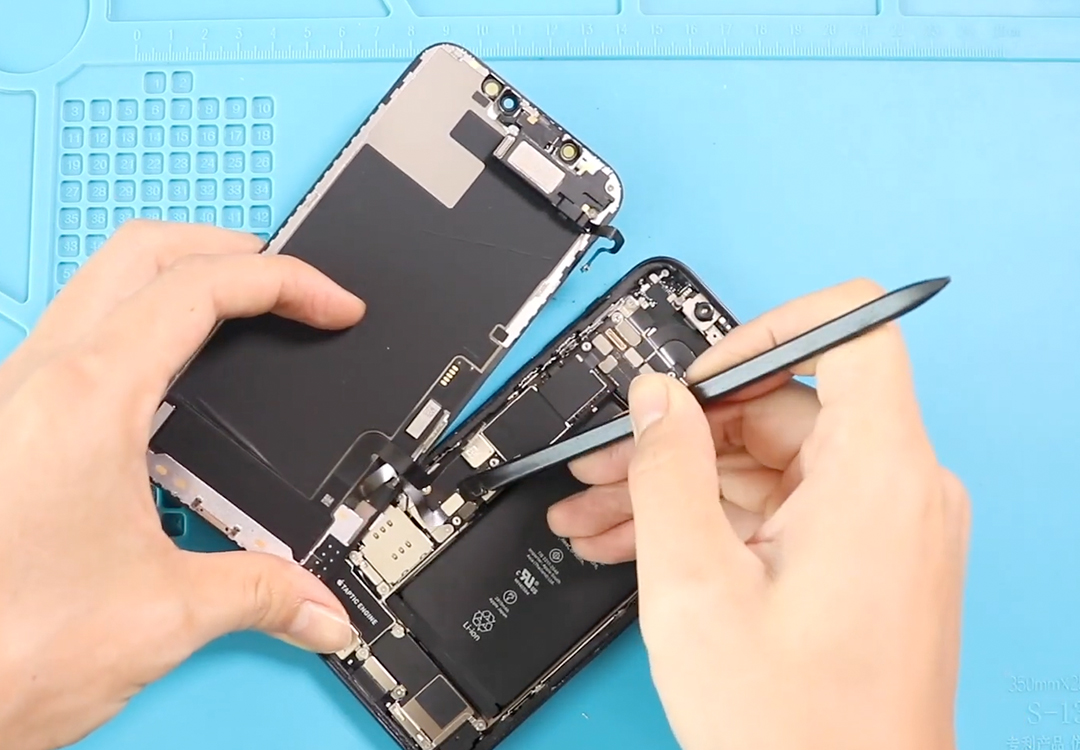
iPhone 12 Screen Replacement Guide | Step-by-Step DIY Guide
Hi everyone, welcome back to DIYGEARDO!
Today, we’ll show you how to replace the OLED and touch screen assembly on your iPhone 12/12 Pro Mobile Phones. A cracked or unresponsive screen can affect device usage, so a proper replacement is necessary.
Before starting, make sure you have the right tools, which are listed in the description. Using proper tools ensures a smooth and safe repair process.
Compatibility and Model Numbers
This repair guide based on iPhone 12 mobile phone. But this guide also compatible with iPhone12 Pro mobile phone.
Compatible Mode Numbers l A2403, A2172, A2402, A2404, A2407, A2341, A2406, A2408
Tools You Need
- Heating pad / heat gun / hairdryer
- Suction cup
- Plastic card pry tools / opening picks
- Phillips PH000 screwdriver
- Pentalobe P2 Screwdriver (for bottom screws)
- Tri-Point Y000 Screwdriver
- Adhesive (B7000 or double-sided frame adhesive)
- Bonding clips or rubber bands (optional but recommended)
How to Find Tools and Parts
- Heating pad – https://amzn.to/3H0tHzJ
- Portable Heat Gun – https://amzn.to/4mszih1
- Clamps https://amzn.to/3GYJT4w
- STREBITO 142 Piece Repair Tool Kit https://amzn.to/3UO1jUx
- Glue | Adhesive https://amzn.to/46exVxe
- Compatible Screen https://amzn.to/4fKnEMz
- Silicone Work Repair Mat https://amzn.to/45Emz5l
Step 1 — Prepare the Phone
Turn off your iPhone 12 completely.
Remove the SIM tray to prevent damage during the repair.
Undo the two bottom Pentalobe screws near the charging port.
Step 2 — Heat the Screen
Use a heating pad, heat gun, or hairdryer to soften the adhesive around the screen edges.
Move the heat source slowly and evenly to prevent internal component damage.

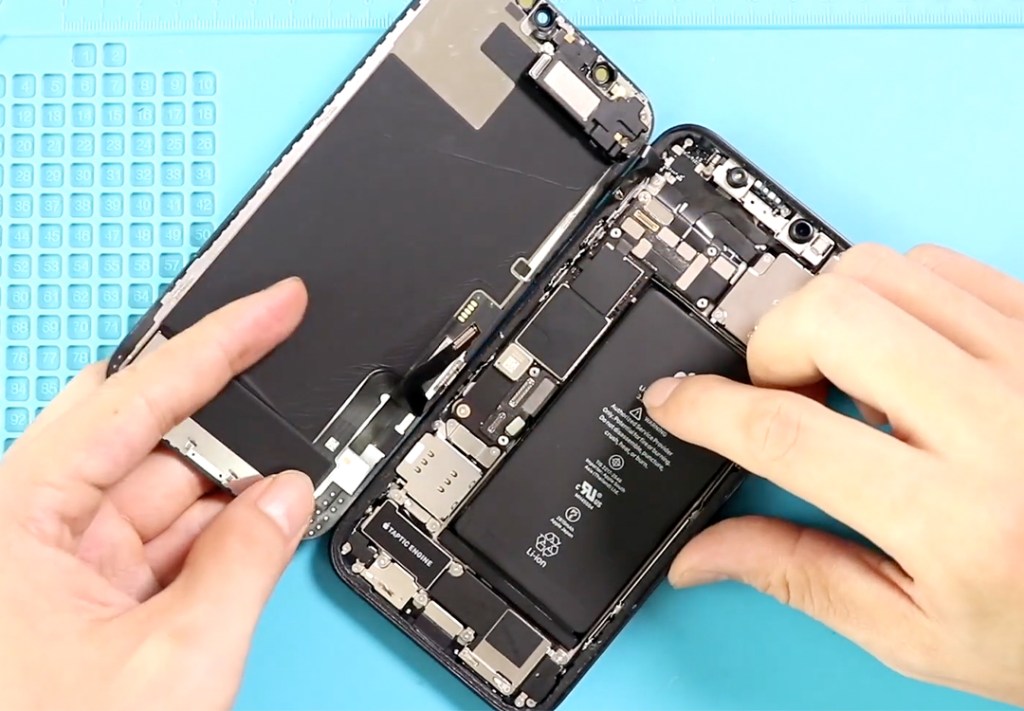
Step 3 — Lift the Front Assembly
Use a double-sided suction cup to lift the screen gently.
Alternatively, a regular suction cup with a plastic card pry tool or triangle picker works to separate the screen from the frame.
Lift the screen like opening a book, starting from the bottom edge.
Step 4 — Remove Shields and Disconnect Components
Remove the two screws securing the bottom shield and the four screws securing the top shield.
Disconnect the battery, LCD, touch, and earpiece assembly plugs from the logic board.
Step 5 — Remove the Broken Screen
Carefully lift out the broken screen.
Undo four screws to remove the earpiece and sensor assembly, gently peeling the flex cables step by step.
Step 6 — Install Earpiece & Sensor Assembly on New Screen
Place the earpiece and sensor assembly onto the new screen and secure it with the four screws.
Ensure the earpiece assembly fits snugly and aligns perfectly.
Tip: It’s a good idea to connect the new screen temporarily to check functionality before fully closing the device.
Step 7 — Apply Water Seal Adhesive
Place the pre-cut water seal adhesive around the frame.
Note: This provides some liquid resistance but does not make the device fully waterproof.
Step 8 — Reassemble the Phone
Insert the SIM tray.
Place the new screen on the body, reconnecting the earpiece assembly, both LCD connectors, and battery plug to the board.
Reinstall both top and bottom shields with screws.
Press the screen into place starting from the top, then sides, and finally the bottom to ensure proper adhesion.
Step 9 — Secure and Test
Add the two Pentalobe screws at the bottom.
Power on the device and test the screen for touch responsiveness, brightness, and display clarity.
FAQs — iPhone 12 LCD & Touch Screen Replacement
Q1: Can I replace only the glass on the iPhone 12 screen?
A: iPhone 12 screens are fused with LCD and touch layers. Replacing only the glass is difficult and not recommended; replace the full assembly.
Q2: What tools are required for this repair?
A: Pentalobe screwdriver, suction cup, plastic pry tools, triangle picker, heating pad or hairdryer, tweezers, and pre-cut water seal adhesive.
Q3: How do I avoid damaging flex cables?
A: Always peel flex cables gently and unscrew shields carefully. Avoid excessive force when lifting the screen.
Q4: Can this repair restore full touch functionality?
A: Yes, installing a new LCD and touch assembly restores display clarity and touch responsiveness.
Q5: How long does it take to replace the screen?
A: Typically 30–40 minutes, depending on experience and care.
Related