Now Reading: iPhone X Camera Lens Glass Replacement Guide | DIY Repair
-
01
iPhone X Camera Lens Glass Replacement Guide | DIY Repair

iPhone X Camera Lens Glass Replacement Guide | DIY Repair
A cracked or broken rear camera lens glass on the iPhone X can cause blurry photos, glare, dust inside the camera, and even permanent damage to the camera sensor if left untreated. Replacing only the camera lens glass is a cost-effective solution that restores photo quality without replacing the entire camera module.
In this guide, we’ll show you how to replace the cracked camera lens glass on the iPhone X, using proper heating and careful handling to avoid camera damage.Replacing camera lens glass is straight forward, but follow proper steps to restore the lens glass.
Reasons to Replace the iPhone X Camera Lens Glass
- Cracked or shattered rear camera lens
- Blurry or foggy photos
- Dust particles visible in camera images
- Lens glass missing or chipped
- Light flare or reflection in photos
Repair Difficulty
Difficulty Level: ⭐⭐☆☆☆ (Easy to Moderate)
This repair does not require opening the phone but needs steady hands and careful cleaning.
Estimated Repair Time: 15–25 minutes
Recommended For: Beginners and DIY users
Compatibility and Model Numbers
This repair guide based on iPhone X mobile phone.
Compatible Mode Numbers | A1865, A1901, A1902, A1903
Tools You Need
- Heating pad / heat gun / hairdryer
- Suction cup
- Plastic card pry tools / opening picks
- Phillips PH000 screwdriver
- Pentalobe P2 Screwdriver (for bottom screws)
- Tri-Point Y000 Screwdriver
- Adhesive (B7000 or double-sided frame adhesive)
- Bonding clips or rubber bands (optional but recommended)
Make sure the tablet is turned off and the SIM tray is removed before starting.
How to Find Tools and Parts
- Heating pad – https://amzn.to/3H0tHzJ
- Portable Heat Gun – https://amzn.to/4mszih1
- Clamps https://amzn.to/3GYJT4w
- STREBITO 142 Piece Repair Tool Kit https://amzn.to/3UO1jUx
- Glue | Adhesive https://amzn.to/46exVxe
- Compatible Parts –
- Battery – https://amzn.to/4fI15YG
- Screen – https://amzn.to/3VIu2KN
- Other Parts – https://amzn.to/4n2vPq4
- Silicone Work Repair Mat https://amzn.to/45Emz5l
Protect Your iPhone X
- 2 in 1 Protection https://amzn.to/46apLVC
iPhone X Camera Lens Glass Replacement – Step-by-Step Instructions
Step 1: Prepare the Device
Power off the iPhone X before starting. Place the phone on a flat, heat-resistant surface.
Step 2: Heat the Camera Lens Area
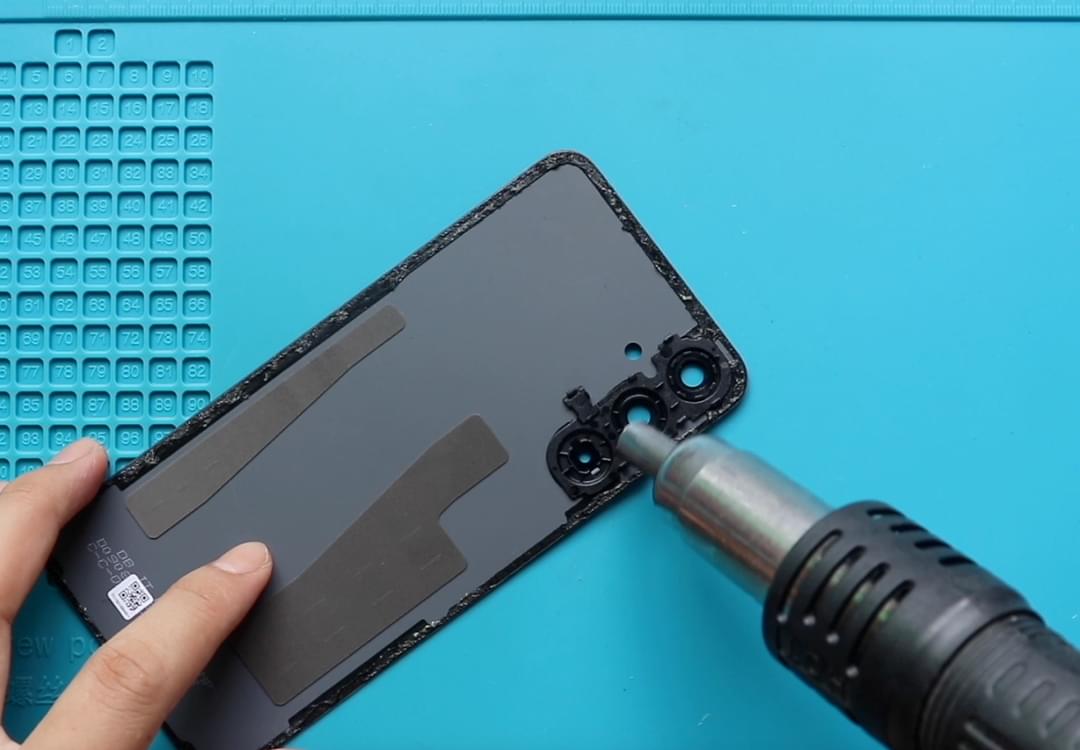
Using a heat gun, gently apply heat around the camera lens to soften the adhesive.
Alternatively, a hair dryer can be used.
Do not overheat the area—apply heat evenly and carefully.
Step 3: Remove the Broken Lens Glass
Once the adhesive softens, use a tweezer or sharp tool to carefully remove the broken glass pieces.
Work slowly to avoid scratching the camera sensor.
Step 4: Clean the Camera Area
Use a soft brush or air blower to clean the surface and edges.
Ensure there is no dust or debris on the camera lens before installation.
Step 5: Install the New Camera Lens Glass
Remove the protective film from the new lens glass.
Carefully place it into position using the pre-applied adhesive.
Avoid fingerprints on the inner side of the lens.
Step 6: Let the Adhesive Set
Allow the adhesive to bond for a few minutes before using the phone.
Important Note on Water Resistance
Please note that replacing the camera lens glass will reduce or remove the phone’s original waterproofing. Avoid exposure to liquids after the repair.
Frequently Asked Questions (FAQ)
Q1: Can I replace only the lens glass without opening the phone?
Yes, the iPhone X camera lens glass can be replaced externally without disassembling the device.
Q2: Will this fix blurry photos?
Yes, if the blur is caused by a cracked or dirty lens glass.
Q3: Do I need to replace the camera module?
No, only the lens glass needs replacement if the camera itself is functioning properly.
Q4: Is heat necessary for lens removal?
Yes, heating is required to soften the adhesive and remove the lens safely.
Troubleshooting (After The Repair)
Q: Photos are still blurry after replacement.
Clean the lens again and ensure there is no dust trapped under the glass.
Q: Lens glass doesn’t stick properly.
Apply light heat again and press gently around the edges to activate the adhesive.
Q: Camera shows black spots or dust.
Remove the lens again and clean the camera surface thoroughly before reinstalling.
Q: Lens cracks again easily.
Use a high-quality replacement lens and avoid pressing directly on the camera area.
Conclusion
Replacing the camera lens glass on the iPhone X is a simple and effective repair that restores photo clarity and protects the camera sensor. With careful heating and proper cleaning, this repair can be completed quickly and safely.
If you have any questions, feel free to reach out. Happy repairing!
More Guides