
Now Reading: Samsung Galaxy A53 5G Camera Replacement Guide (Front | Rear)
-
01
Samsung Galaxy A53 5G Camera Replacement Guide (Front | Rear)
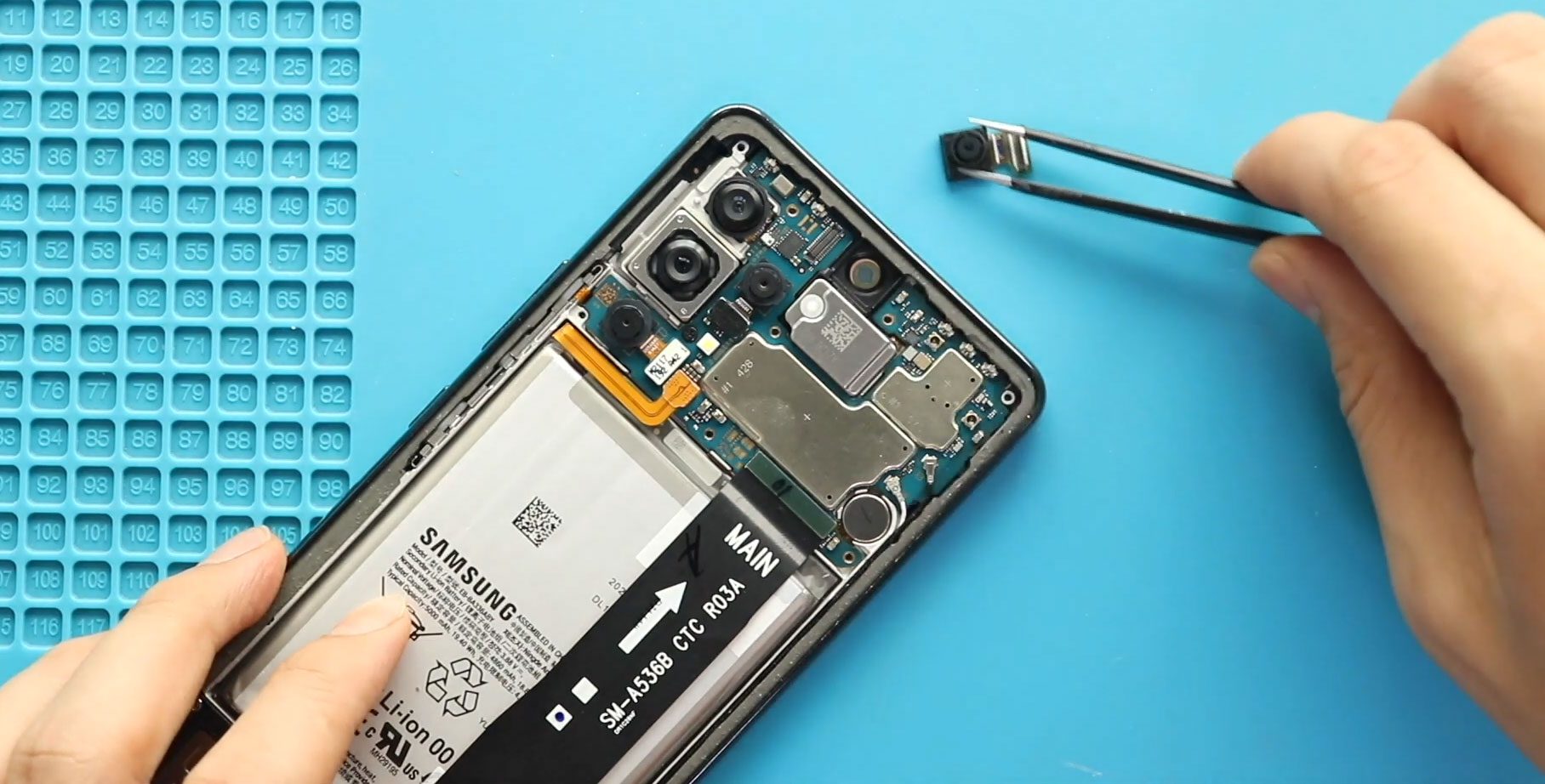
Samsung Galaxy A53 5G Camera Replacement Guide (Front | Rear)
Hi everyone, welcome back to DIYGeardo 👋
Today, we will show you how to replace the front and back cameras on the Samsung Galaxy A53 5G mobile phone. If your camera is blurry, not focusing, showing black screens, or failing to open, replacing the faulty camera modules can restore full photo and video functionality.
This guide walks you through the entire process safely and clearly, helping you replace both the front and rear cameras without damaging nearby components.
Reasons to Replace the Front & Back Cameras
Why would I need to replace the cameras on my Galaxy A53 5G?
Common reasons include:
- Blurry or out-of-focus photos
- Camera app not opening
- Black screen or flickering image
- Camera shaking or rattling
- Water or dust damage
- Camera failure after a drop
Replacing faulty camera modules restores image clarity and camera stability.
Repair Difficulty
Difficulty Level: ⭐⭐⭐☆☆ (Moderate)
Estimated Repair Time: 40–60 minutes
This repair involves logic board removal and handling multiple camera connectors, requiring patience and careful cable management.
Before You Begin
Compatibility and Model Numbers
This repair guide based on Samsung Galaxy A53 5G Model.
Model Numbers | SM-A536B, SM-A536B/DS, SM-A536U, SM-A536U1, SM-A5360, SM-A536E, SM-A536E/DS, SM-A536V, SM-A536W, SM-A536N, SM-S536DL
Tools Required
- Mobile phone heating pad or hairdryer/heat gun
- Plastic pry tool / card pry
- Suction cups
- Phillips #00/#000 screwdrivers
- Tweezers (for connectors)
- B7000 glue or double-sided adhesive (for back cover)
- Rubber bands or bonding clips to secure the back cover
How to Find Tools and Parts
- Heating pad – https://amzn.to/3H0tHzJ
- Portable Heat Gun – https://amzn.to/4mszih1
- Clamps https://amzn.to/3GYJT4w
- STREBITO 142 Piece Repair Tool Kit https://amzn.to/3UO1jUx
- Glue | Adhesive https://amzn.to/46exVxe
- Compatible Parts –
- Battery – https://amzn.to/3HJHH10
- Screen – https://amzn.to/45KbBKn
- Other Parts – https://amzn.to/45AsU1W
- Silicone Work Repair Mat https://amzn.to/45Emz5l
Protect Your Samsung Galaxy A53 5G
- Protector For The Screen https://amzn.to/3VcdiLJ
- Best Rated Case https://amzn.to/4oH4qvc
📱 Samsung Galaxy A53 5G Camera Replacement – Step-by-Step Guide
Step 1: Power Off the Phone
Turn off the Samsung Galaxy A53 5G completely before starting the repair.
Step 2: Heat the Back Cover
Gently heat around the rear cover edges until the adhesive softens.
- Place the back cover side on a heating pad
- Select the mobile phone HEATING option and wait until it completes
- Alternatively, use a heat gun or hairdryer evenly around the edges
Step 3: Remove the Back Cover
- Use a suction cup to create an opening between the frame and rear cover
- Insert a plastic card pry tool to cut the adhesive
- Carefully lift and remove the back cover
Step 4: Remove the Main Board Frame
- Undo eight screws securing the main board frame
- Remove the frame and set it aside
Step 5: Disconnect the Battery
- From the left-hand side, disconnect the battery connector
Step 6: Remove the Front Camera
- Disconnect the front camera connector
- Gently lift and remove the front camera from the board
Step 7: Remove Macro & Depth Cameras
- Disconnect and pull out the macro camera
- Disconnect and pull out the depth camera
Step 8: Prepare the Logic Board for Removal
- Undo one additional screw securing the logic board
- Disconnect two antenna heads
- Disconnect the main flex connector from the board
Step 9: Remove the Logic Board
- Using a plastic pry tool, gently lift and remove the logic board from the body
Step 10: Remove Main & Ultrawide Cameras
- From the rear side of the logic board, disconnect and remove the main camera
- Disconnect and remove the ultrawide camera
Step 11: Install New Main & Ultrawide Cameras
- Place the new main camera and ultrawide camera onto the logic board
- Press gently to secure the connectors
Step 12: Reinstall the Logic Board
- Place the logic board back into the body
- Ensure proper alignment
Step 13: Reconnect Flex & Antennas
- Secure the main flex cable and tighten the screw
- Reconnect both antenna heads
Step 14: Install Macro & Depth Cameras
- Place and connect the new macro camera
- Place and connect the new depth camera
Step 15: Install the Front Camera
- Place and secure the new front camera
- Ensure the connector clicks into place
Step 16: Reconnect Battery & Main Board Frame
- Reconnect the battery connector
- Place the main board frame
- Secure it using eight screws
Step 17: Reattach the Back Cover
- Ensure the back cover has enough adhesive
- Use B7000 glue or new double-sided adhesive if required
Step 18: Secure the Back Cover
- Apply bonding clips around the device
- Alternatively, use rubber bands
- Leave it for some time to ensure proper bonding
Frequently Asked Questions (FAQ)
Q: Will replacing the camera delete my data?
A: No, camera replacement does not affect stored data, but backing up is always recommended.
Q: Do I need to replace all cameras if only one is faulty?
A: No, you can replace only the faulty camera module.
Q: My camera still looks blurry after replacement. Why?
A: Ensure the lens is clean and the camera connector is properly seated.
Q: Are Galaxy A53 5G camera modules plug-and-play?
A: Yes, original and compatible replacement cameras do not require software calibration.
Troubleshooting (After The Repair)
Q: Camera app doesn’t open after repair. What should I do?
A: Recheck all camera connectors and the main flex cable connection.
Q: One camera works, but others don’t.
A: Ensure each camera connector is properly aligned and pressed firmly.
Q: Phone shows “camera failed” error.
A: Restart the device and recheck the logic board connections.
Q: Back cover not sticking properly.
A: Use fresh adhesive or B7000 glue and apply pressure with bonding clips or rubber bands.
✅ Final Thoughts
I hope you have enjoyed this Samsung Galaxy A53 5G front and back camera replacement guide 📸
If you have any questions, feel free to share and comment on our videos.
👉 Do not forget to hit the subscribe button for more step-by-step repair guides from Geardo!
Related Repair Guides


-
 01Samsung Galaxy A16 5G Battery Replacement | Full DIY Repair Guide
 -
02Samsung Galaxy A16 5G Screen Replacement | Step-by-Step Guide
-
03Google Pixel 6 Power Button Replacement Guide | Volume Button Flex Repair Guide- DIY Repair
-
04Samsung Galaxy A16 5G Back Cover & Camera Lens Frame Replacement Guide | DIY Repair
-
05Why a Heating Pad Is Essential for Mobile Phone Repairs (And How to Use it)
-
06How to Use a Heat Gun or Hair Dryer for Phone/Tablet Repairs
-
07Essential Repair Tools for Phone, Tablet & Laptop Repairs


