
Now Reading: Samsung Galaxy S20 Ultra 5G Main Flex Cable Replacement | Step-by-Step DIY Guide
-
01
Samsung Galaxy S20 Ultra 5G Main Flex Cable Replacement | Step-by-Step DIY Guide
Samsung Galaxy S20 Ultra 5G Main Flex Cable Replacement | Step-by-Step DIY Guide
If your Samsung Galaxy S20 Ultra 5G is experiencing issues such as unresponsive buttons, touchscreen problems, or intermittent connection between components, it may be due to faulty main flex cables. Replacing these cables can restore proper device functionality.
This guide covers the full repair process, including removing the back cover, wireless pad, speaker cover, replacing the main flex cables, and reassembling the phone safely.
Compatibility and Model Numbers
This repair guide based on Samsung Galaxy S20 Ultra 5G mobile phone, but it is also compatible with Galaxy S20 Ultra 4g version too.
Compatible Mode Numbers l SM-G988, SM-G988U, SM-G988U1, SM-G9880, SM-G988B/DS, SM-G988N, SM-G988B, SM-G988W SM-G988B/DS
Tools You Need
- Heating pad / heat gun / hairdryer
- Suction cup
- Plastic card pry tools / opening picks
- Phillips PH000 screwdriver
- Philips PH00 screwdriver – For smaller internal screws (optional)
- Adhesive (B7000 or double-sided back cover adhesive)
- Bonding clips or rubber bands (optional but recommended)
How to Find Tools and Parts
- Heating pad – https://amzn.to/3H0tHzJ
- Portable Heat Gun – https://amzn.to/4mszih1
- Clamps https://amzn.to/3GYJT4w
- STREBITO 142 Piece Repair Tool Kit https://amzn.to/3UO1jUx
- Glue | Adhesive https://amzn.to/46exVxe
- Compatible Parts https://amzn.to/47VYx7t
- Silicone Work Repair Mat https://amzn.to/45Emz5l
Types of Repair Tools Used in the Repair Process
Step 1 – Power Off and Remove SIM Tray
Turn off your Galaxy S20 Ultra completely. Eject and remove the SIM tray to prevent accidental damage during disassembly.
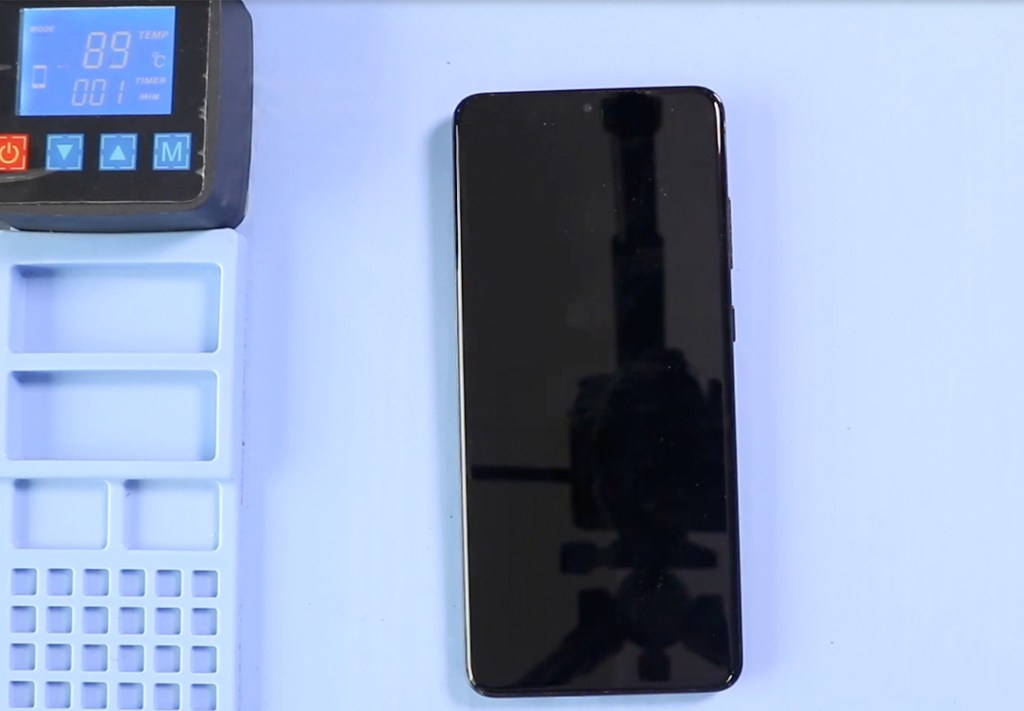
Step 2 – Heat and Remove Back Cover
The back cover is held with adhesive that must be softened before removal.
Place the phone’s back on a heating pad and select the mobile heating mode, or alternatively, use a heat gun or hair dryer. Apply gentle heat around the edges until the adhesive softens.
Use a suction cup to create a small opening and slide a plastic pry tool around the edges to cut the adhesive. Lift the back cover carefully.
Step 3 – Remove the Wireless Pad
Unscrew and disconnect the wireless charging pad. Lift it out carefully to access the components beneath.
Step 4 – Remove the Speaker Cover
Locate the bottom speaker cover. Unscrew and remove it to gain access to the main flex cables underneath.
Replace the Vibrator Motor in This Step
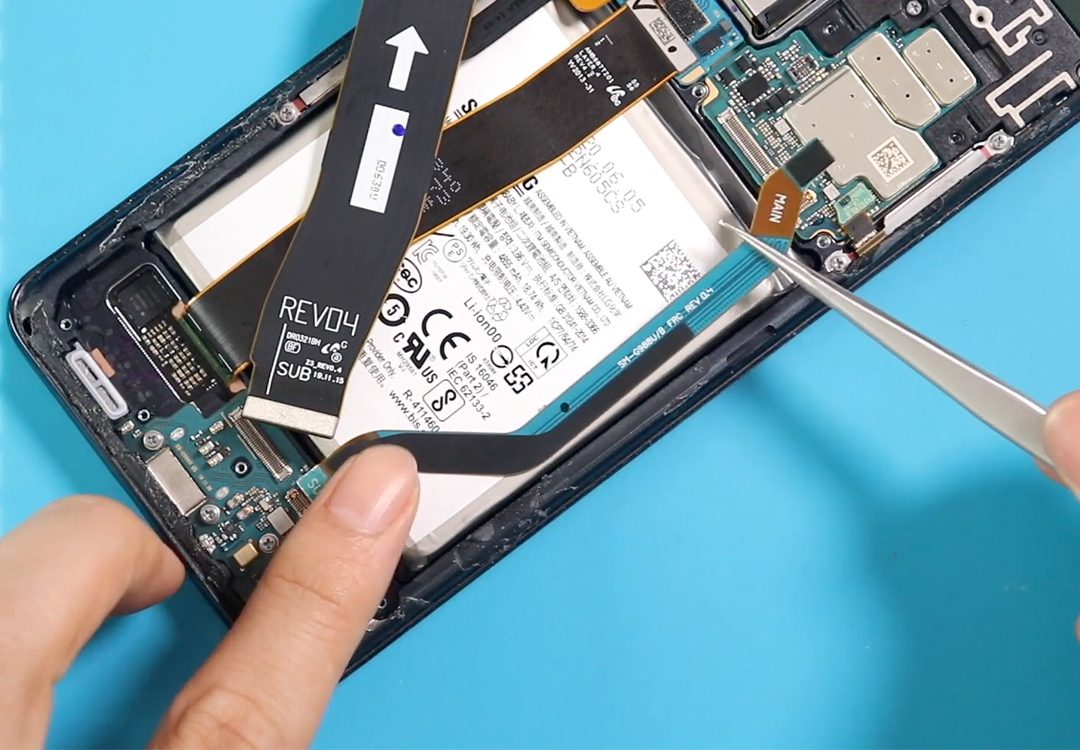
Step 5 – Remove the Faulty Main Flex Cables
Disconnect and carefully lift out the non-working main flex cables. Take note of the exact positioning to ensure correct installation of the new cables.
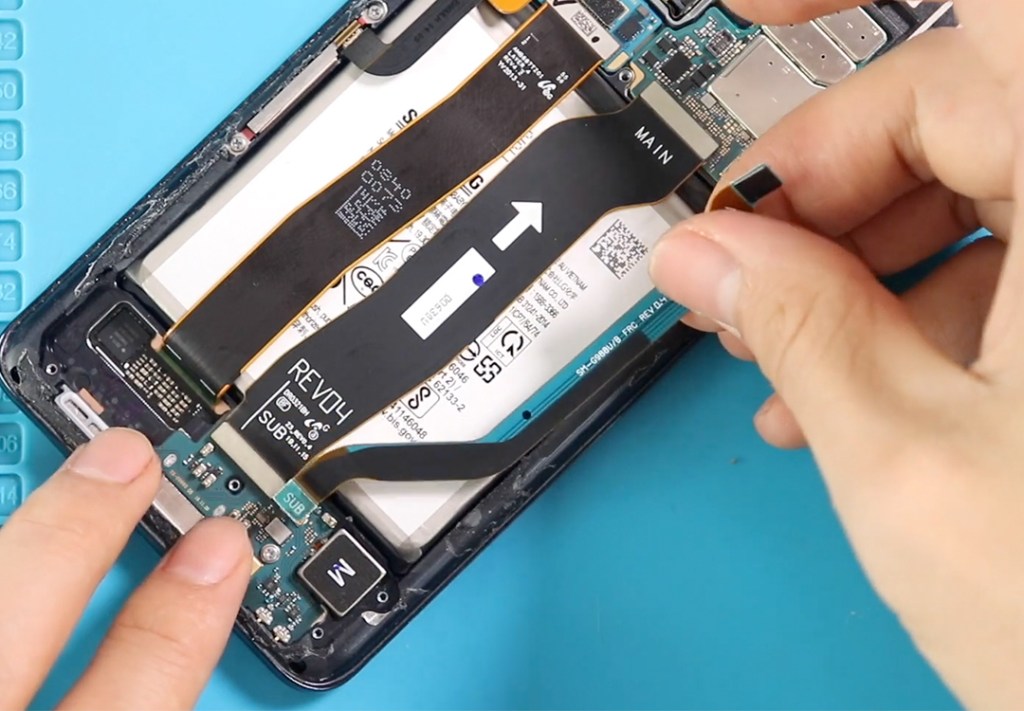
Step 6 – Install the New Main Flex Cables
Place the new main flex cables into position, making sure all connectors align properly. Press gently to secure the cables in place.
Step 7 – Reinstall the Speaker Cover
Place the speaker cover back over the bottom components and secure it with screws.
Step 8 – Reinstall the Wireless Pad
Position the wireless charging pad, reconnect its flex cable, and secure it with screws.
Step 9 – Seal the Back Cover
Check the back cover adhesive. If weak, apply B7000 glue or a new double-sided back cover adhesive.
Align the back cover carefully and press it firmly. Use screen binding clips or rubber bands to hold the cover while the adhesive sets.
Step 10 – Power On and Test
Turn on the Galaxy S20 Ultra and test touchscreen functionality, buttons, and component connections to ensure the new main flex cables are working properly.
Frequently Asked Questions
Q1: How do I know if the main flex cables are faulty?
Symptoms include unresponsive touch, buttons not working, random screen flickering, or intermittent connectivity between internal components.
Q2: Can I replace just one main flex cable or do all need replacement?
It depends on the damaged cable. If only one is faulty, you can replace it individually. Ensure you identify the correct flex cable for the issue.
Q3: Do I need to remove the wireless pad and speaker cover to access the main flex cables?
Yes. The cables are located beneath the wireless pad and speaker cover, so these components must be removed for safe access.
Q4: Should I test the main flex cables before sealing the back cover?
Absolutely. Reconnect the battery and test touchscreen, buttons, and other affected components before installing the back cover to confirm proper installation.
Q5: Can faulty main flex cables affect other components?
Yes. Damaged or disconnected main flex cables can impact the touchscreen, buttons, vibration motor, cameras, and other connected components.
Visit our site to view other repair guides for the Galaxy S20 Ultra 5G.


-
 01Samsung Galaxy A16 5G Battery Replacement | Full DIY Repair Guide
 -
02Samsung Galaxy A16 5G Screen Replacement | Step-by-Step Guide
-
03Google Pixel 6 Power Button Replacement Guide | Volume Button Flex Repair Guide- DIY Repair
-
04Samsung Galaxy A16 5G Back Cover & Camera Lens Frame Replacement Guide | DIY Repair
-
05Why a Heating Pad Is Essential for Mobile Phone Repairs (And How to Use it)
-
06How to Use a Heat Gun or Hair Dryer for Phone/Tablet Repairs
-
07Essential Repair Tools for Phone, Tablet & Laptop Repairs


