
Now Reading: Xiaomi Redmi Note 8 Pro Screen Replacement Guide
-
01
Xiaomi Redmi Note 8 Pro Screen Replacement Guide
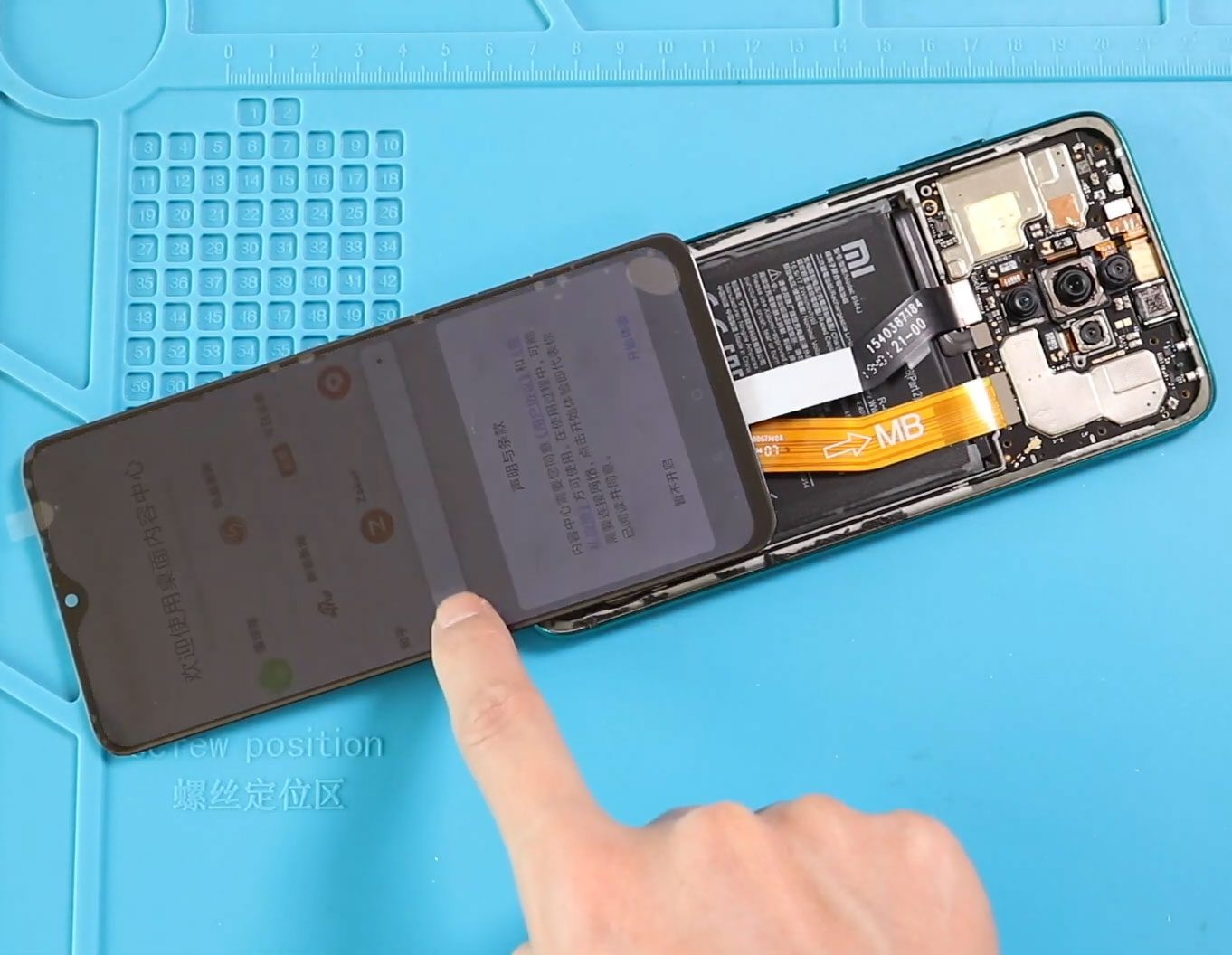
Xiaomi Redmi Note 8 Pro Screen Replacement Guide
A damaged screen can make the Xiaomi Redmi Note 8 Pro difficult or impossible to use. Common signs of a screen problem include cracked display glass, a display that no longer works properly, touch response issues, or a screen that has been physically damaged.
This Xiaomi Redmi Note 8 Pro screen replacement guide explains how to remove the back cover, access and disconnect the internal components, test the replacement screen before installation, remove the damaged LCD, transfer the screen stop bracket, install the new screen, and reassemble the phone.
The guide also covers securing the new screen and back cover with suitable adhesive and using binding clips or rubber bands while the adhesive sets.
Repair Information
| Information | Details |
|---|---|
| Device | Xiaomi Redmi Note 8 Pro |
| Repair Type | LCD / Screen Replacement |
| Difficulty | ★★★★★ |
| Estimated Time | 40–50 minutes |
| Replacement Part | Compatible Redmi Note 8 Pro screen/LCD |
Reasons for the Repair
A screen replacement may be needed if:
- The display is cracked or physically damaged.
- The screen no longer displays properly.
- Touch functionality is not working correctly.
- The display has stopped functioning.
- The original screen has significant damage that prevents normal phone use.
These symptoms can sometimes have other causes, so a screen replacement is most appropriate when the screen itself is suspected to be faulty.
Before You Begin
Compatibility and Model Numbers
- Redmi Note 8 Pro
Model Numbers : 2015105, M1906G7I, M1906G7G
Tools Required
- Mobile phone heating pad or hairdryer/heat gun
- Plastic pry tool / card pry
- Suction cups
- Phillips #00/#000 screwdrivers
- Torx (T2/T3/T4) screwdrivers
- Flathead screwdriver
- Tweezers (for connectors)
- B7000 glue or double-sided adhesive (for back cover)
- Rubber bands or bonding clips to secure the back cover
How to Find Tools and Parts
- Heating pad – https://amzn.to/3H0tHzJ
- Portable Heat Gun – https://amzn.to/4mszih1
- Clamps https://amzn.to/3GYJT4w
- STREBITO 142 Piece Repair Tool Kit https://amzn.to/3UO1jUx
- Glue | Adhesive https://amzn.to/4uxhKog
- Compatible Parts –
- Battery – https://link.amazon/B02FMfqpl
- Screen – https://link.amazon/B08OiJJrv
- Other Parts – https://link.amazon/B0ekcSZI7
- Silicone Work Repair Mat https://amzn.to/45Emz5l
Step-by-Step Screen Replacement
1. Turn Off the Phone and Remove the Back Cover
Turn off the Redmi Note 8 Pro before starting the repair.
Place the back cover side of the phone on a heating pad and select the mobile phone heating option. Allow the heating process to complete.
Alternatively, apply heat around the back cover edges using a heat gun or hair dryer.
Once the adhesive has softened sufficiently, use a suction cup to lift the back cover. Insert a plastic card or pry tool between the back cover and body and gently work around the phone to cut through the adhesive.
Remove the back cover.
2. Remove the Main Board Frame
Remove the main board frame by undoing its screws.
First, remove the camera lens and Touch ID assembly by removing the shield and disconnecting its plug.
Then undo the 10 screws and lift the frame using a pry tool.
3. Disconnect the Battery and LCD
Disconnect the battery plug and LCD plug from the logic board.
4. Test the New Screen
Before installing the new screen into the phone body, connect the replacement screen to the logic board.
Connect the new screen and battery plug and test the screen and its functionality.
Make sure the testing has passed before proceeding with the physical installation.
After testing, disconnect the LCD flex and battery plug and remove the new LCD from the phone.
5. Disconnect the Main Flex and Remove the Battery
Disconnect the main flex.
Remove the battery by peeling away the battery tapes.
6. Remove the SIM Tray
Remove the SIM tray before continuing with the internal disassembly.
7. Remove the Logic Board
Remove the logic board by undoing the relevant screw connections and disconnecting the antenna and proximity sensor.
8. Remove the Damaged LCD
Apply heat to soften the adhesive holding the LCD in place.
The procedure uses a heating pad to run the heating process. A heat gun or hair dryer can also be used as an alternative.
Once the adhesive has softened, apply gentle pressure from the rear side near the top camera opening to create a gap.
Insert a plastic card or similar pry tool into the gap and carefully work around the phone to separate the adhesive between the frame and LCD.
This process may take some time. Continue carefully until the old LCD can be removed.
9. Transfer the Screen Stop Bracket
After removing the old screen, take out the old screen stop bracket.
Place the bracket onto the frame using glue to secure it.
10. Install the New Screen
Apply B7000 glue or new pre-cut double-sided LCD adhesive around the frame edges.
Place the new screen into the frame, making sure the flex cable passes through the appropriate opening.
11. Secure the New Screen
Use binding clips or rubber bands to hold the screen tightly against the frame.
Leave it secured for some time to allow the adhesive to bond, then remove the clips or rubber bands.
12. Reinstall the Logic Board
Place the logic board back into position.
Secure the SIM tray and secure the board with the screw.
Reconnect the sensor plug.
13. Connect the LCD and Install the Battery
Connect the LCD screen plug to the board.
Place the battery back into the phone using adhesive to secure it.
14. Reconnect the Main Flex, Battery, and Antenna
Connect the main flex, battery, and antenna to the board.
15. Secure the Main Board Frame
Place the main board frame back into position and secure it with the 10 screws.
Reconnect the camera lens and Touch ID assembly and place the shield back into position.
16. Reinstall the Back Cover
Apply B7000 glue or new pre-cut double-sided adhesive to the back cover.
Place the main back cover onto the phone.
Use binding clips to hold the back cover and LCD firmly against the phone body while the adhesive sets.
If binding clips are unavailable, rubber bands can be used instead. Leave them in place for some time before removing them.
FAQ
Can I replace the Redmi Note 8 Pro screen myself?
The repair is possible with appropriate repair tools and experience, but it involves substantial internal disassembly, including removing the logic board and battery.
Should I test the replacement screen before installing it?
Yes. The supplied procedure specifically tests the new screen and its functionality before permanently installing it into the phone.
Why should I test the screen before installation?
Testing the replacement screen first helps confirm its functionality before completing the full installation.
How is the old Redmi Note 8 Pro LCD removed?
Heat is applied to soften the adhesive, after which a plastic card or similar pry tool is used to separate the LCD from the frame.
What adhesive can be used for the new screen?
The procedure uses B7000 glue or new pre-cut double-sided LCD adhesive around the frame edges.
What happens to the screen stop bracket?
The old screen stop bracket is removed and placed onto the frame using glue before installing the replacement screen.
How is the new screen held in place while the adhesive sets?
Binding clips or rubber bands are used to tighten the screen against the frame while the adhesive bonds.
Can I use a heat gun instead of a heating pad?
Yes. The procedure uses a heating pad but also identifies a heat gun or hair dryer as alternatives for softening adhesive.
Troubleshooting
The replacement screen does not work during testing
If the replacement screen does not function during the initial test, avoid permanently installing it and check the connections before continuing with the repair.
The screen works during testing but has problems after installation
Review the reassembly and connections, particularly around the LCD and internal board components.
The old LCD is difficult to remove
The adhesive may need additional time to soften. Continue carefully with the heating process and avoid rushing the separation of the LCD from the frame.
The new screen is not sitting correctly in the frame
Check that the screen stop bracket is correctly positioned and that the LCD flex cable is passing through the intended opening before securing the screen.
The screen lifts after installation
Make sure the appropriate adhesive has been applied around the frame edges and use binding clips or rubber bands to hold the screen against the frame while the adhesive sets.
The back cover is not staying attached
Check that B7000 glue or suitable pre-cut double-sided adhesive has been applied and secure the back cover against the phone body while the adhesive bonds.
Conclusion
Replacing the Xiaomi Redmi Note 8 Pro screen requires careful disassembly and reassembly of the phone. The process includes removing the back cover and main board frame, testing the replacement screen, removing the damaged LCD, transferring the screen stop bracket, installing the new screen, reinstalling the logic board and other components, and securing the screen and back cover with adhesive.
Testing the replacement screen before final installation is an important part of the procedure and helps confirm that the replacement is functioning before the phone is fully reassembled.
Related Guides
More Redmi Note 8 Pro Repair Guides


-
 01Samsung Galaxy A16 5G Battery Replacement | Full DIY Repair Guide
 -
02Samsung Galaxy A16 5G Screen Replacement | Step-by-Step Guide
-
03Google Pixel 6 Power Button Replacement Guide | Volume Button Flex Repair Guide- DIY Repair
-
04Samsung Galaxy A16 5G Back Cover & Camera Lens Frame Replacement Guide | DIY Repair
-
05Why a Heating Pad Is Essential for Mobile Phone Repairs (And How to Use it)
-
06How to Use a Heat Gun or Hair Dryer for Phone/Tablet Repairs
-
07Essential Repair Tools for Phone, Tablet & Laptop Repairs


