
Now Reading: iPhone 12 Mini Speaker Replacement Guide | DIY Repair Steps
-
01
iPhone 12 Mini Speaker Replacement Guide | DIY Repair Steps
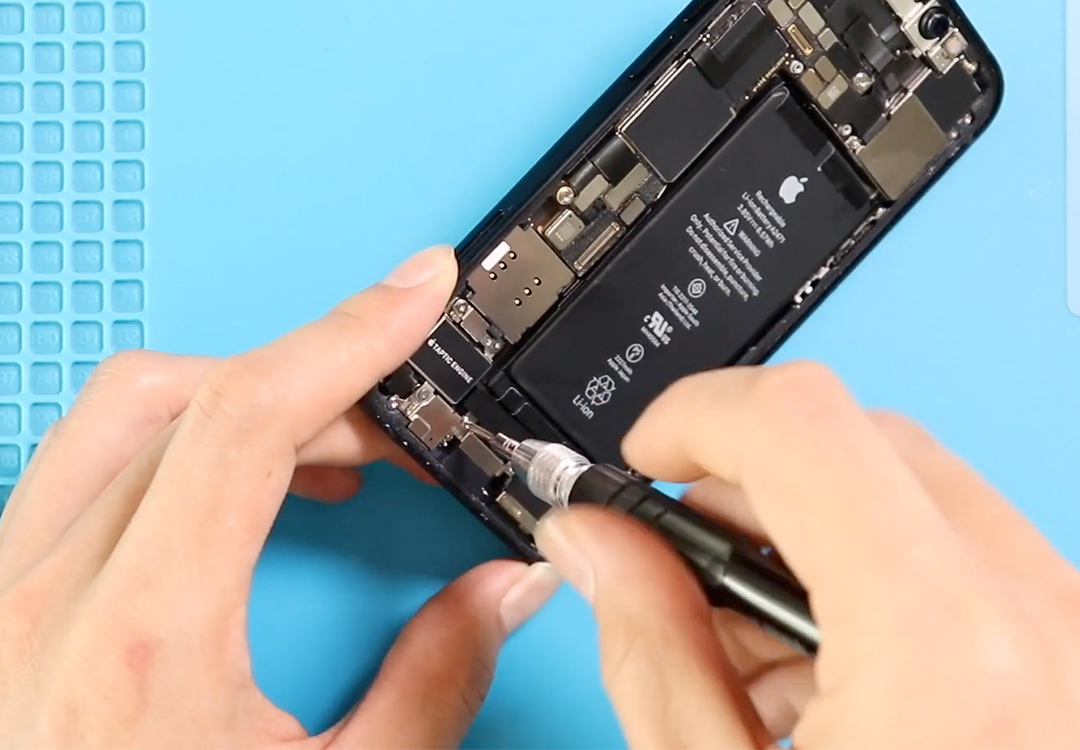
iPhone 12 Mini Speaker Replacement Guide | DIY Repair Steps
Hi everyone, and welcome back to DIY Geardo!
In this detailed repair guide, we’re walking you through the complete process of replacing the loudspeaker ringer on the iPhone 12 Mini. If your phone isn’t producing sound during calls, media playback, or notifications, the internal loudspeaker might be damaged—and this repair can bring it back to life.
Before opening the phone, make sure you have the proper tools ready. You’ll typically need a pentalobe screwdriver, tri-point screwdriver, plastic pry tools, tweezers, and a suction tool. These essential tools make the repair smooth and prevent damage to internal components. You can check below for the full tool list.
Compatibility and Model Numbers
This repair guide based on iPhone 12 mini mobile phone
Compatible Mode Numbers l A2399, A2176, A2402, A2400
Tools You Need
- Heating pad / heat gun / hairdryer
- Suction cup
- Plastic card pry tools / opening picks
- Phillips PH000 screwdriver
- Pentalobe P2 Screwdriver (for bottom screws)
- Tri-Point Y000 Screwdriver
- Adhesive (B7000 or double-sided frame adhesive)
- Bonding clips or rubber bands (optional but recommended)
How to Find Tools and Parts
- Heating pad – https://amzn.to/3H0tHzJ
- Portable Heat Gun – https://amzn.to/4mszih1
- Clamps https://amzn.to/3GYJT4w
- STREBITO 142 Piece Repair Tool Kit https://amzn.to/3UO1jUx
- Glue | Adhesive https://amzn.to/46exVxe
- Compatible Parts https://amzn.to/47EPojr
- Silicone Work Repair Mat https://amzn.to/45Emz5l
Step 1 — Power Off the Device & Remove External Parts
Start by turning the iPhone 12 Mini completely off.
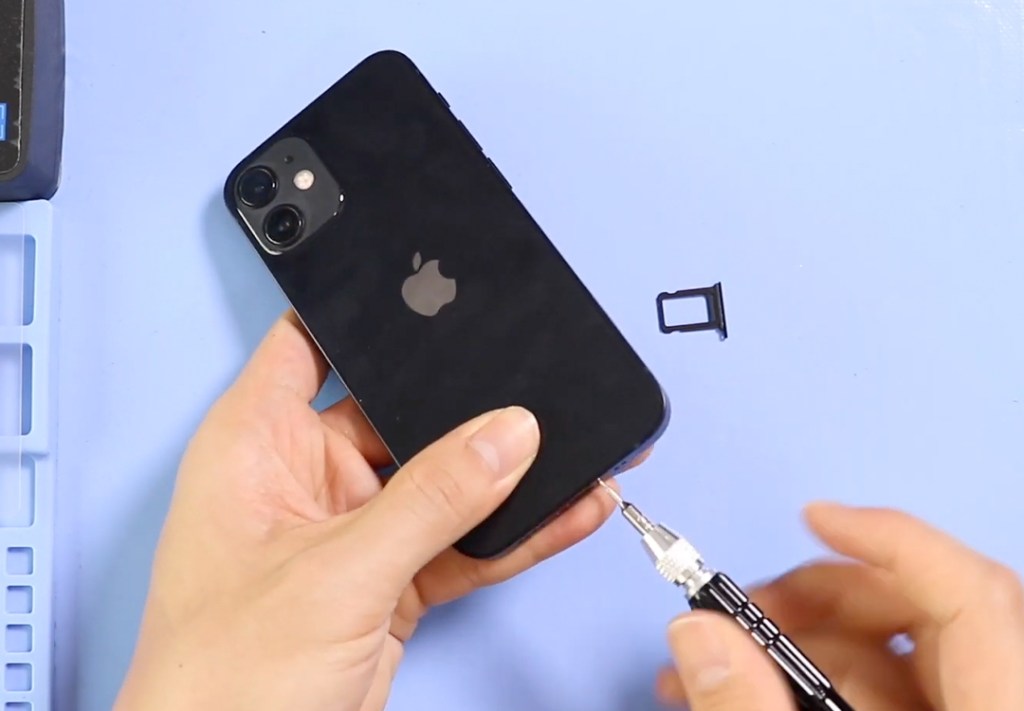
Remove the SIM tray using a SIM eject tool, then take out the two pentalobe screws located beside the charging port. These screws secure the display tightly to the frame.
Step 2 — Soften the Screen Adhesive
The display is held firmly with waterproof adhesive, so heating the edges helps loosen it.
You can use:
- A heating pad
- A heat gun (low setting)
- A hairdryer
Warm the edges in a circular motion for a few seconds at a time. Avoid overheating the device—moderate heat is enough to soften the adhesive.
Step 3 — Open the Screen
Use a suction cup to lift the display.
If you have the double-sided suction tool, that works best to create even pressure. If not, a regular suction cup works too.
Once you get a slight gap, slide a plastic pry card or triangle picker around the sides to separate the screen from the frame and loosen the rubber gasket seal.
Lift the screen from the left side, similar to opening a book, and keep it upright to avoid pulling on the flex cables.
Step 4 — Disconnect the Battery & Screen Components
You will first see the small shield covering the battery connector.
Remove the screw holding this bracket and disconnect the battery plug to fully cut power from the device.
Next, remove the shield on the top by undoing five screws. Underneath this shield, you will find the connectors for the screen assembly and earpiece flex cable. Gently disconnect all plugs to free the display completely from the phone.
Step 5 — Remove the Faulty Loudspeaker Ringer
Move to the lower section of the device.
Here, you will find four screws securing the loudspeaker unit.
Unscrew all four, lift the damaged loudspeaker ringer from the frame, and carefully remove it. If dust or adhesive residue is present, clean the area before installing the new part.
Step 6 — Install the New Ringer Speaker
Place the new loudspeaker in the same position and ensure it sits flush inside the housing.
Secure it by reinstalling all four screws tightly but without over-tightening.
This ensures proper vibration and sound output.

Step 7 — Reassemble the Device
Reconnect the:
- Earpiece assembly flex
- LCD connector
- Battery connector
Then reinstall both shields using their original screws.
Position the screen correctly and press down around the top, sides, and bottom edges to clamp it into place. Ensure the frame clicks in smoothly without force.
Finally, insert the SIM tray and tighten the two pentalobe screws at the bottom.
Final Notes
Your loudspeaker replacement is complete!
You can now power on the phone and test audio through ringtones, notifications, and video playback to make sure everything is working perfectly.
If you have any questions, feel free to reach out. And don’t forget to like, share, and subscribe for more DIY repair videos from Geardo!
Frequently Asked Questions
1. What are the common signs of a damaged loudspeaker ringer?
Distorted sound, no audio during calls, crackling during playback, or the phone vibrating without sound are typical signs the ringer needs replacement.
2. Does replacing the loudspeaker affect water resistance?
Yes. After opening the device, the factory-sealed adhesive is no longer effective. Even if you apply new adhesive, the phone will not regain full water resistance.
3. Can I do this repair without opening the screen?
No. The loudspeaker is located inside the phone’s housing, so removing the screen is required.
4. How long does the repair take?
For beginners, around 20–40 minutes. For experienced repairers, about 10–15 minutes.
5. Will this replacement fix low-volume or muffled sound issues?
If the issue is caused by a faulty speaker module, yes.
However, if the problem is due to software issues or dirt in the speaker grill, cleaning or resetting may be enough.


-
 01Samsung Galaxy A16 5G Battery Replacement | Full DIY Repair Guide
 -
02Samsung Galaxy A16 5G Screen Replacement | Step-by-Step Guide
-
03Google Pixel 6 Power Button Replacement Guide | Volume Button Flex Repair Guide- DIY Repair
-
04Samsung Galaxy A16 5G Back Cover & Camera Lens Frame Replacement Guide | DIY Repair
-
05Why a Heating Pad Is Essential for Mobile Phone Repairs (And How to Use it)
-
06How to Use a Heat Gun or Hair Dryer for Phone/Tablet Repairs
-
07Essential Repair Tools for Phone, Tablet & Laptop Repairs


