
Now Reading: Samsung Galaxy A70 Fingerprint Flex Replacement Guide | Galaxy A70s
-
01
Samsung Galaxy A70 Fingerprint Flex Replacement Guide | Galaxy A70s
Samsung Galaxy A70 Fingerprint Flex Replacement Guide | Galaxy A70s
If the fingerprint sensor on your Samsung Galaxy A70 stops responding, fails to recognize fingerprints, or disappears completely from settings, the fingerprint flex cable or sensor module may be damaged. Since this device uses an internal connector attached to the rear housing, issues often occur after drops, moisture exposure, or repeated back cover removal.
A faulty fingerprint sensor can prevent secure unlocking, mobile payments, and biometric authentication features from working properly. Fortunately, replacing the fingerprint flex assembly is a straightforward repair when handled carefully with proper tools.
This DIY repair guide explains how to safely remove the back cover, replace the fingerprint flex module, and restore normal biometric functionality.
Protect Your Galaxy A70
- Best Rated Case https://amzn.to/42GYY28
- Screen Protector https://amzn.to/3KS1kFu
Repair Overview
Device Type: Smartphone
Repair Type: Fingerprint Sensor Flex Cable Replacement
Repair Difficulty: ⭐⭐⭐☆☆ — Moderate Difficulty
Estimated Repair Time: 25 — 35 Minutes
Reasons for Samsung Galaxy A70 Fingerprint Flex Replacement
You may need this repair if:
- Fingerprint sensor not responding
- Fingerprint option missing from settings
- Unlock failure even after re-enrolling fingerprints
- Sensor works intermittently
- Back cover replacement damaged the flex cable
- Moisture or dust damage affecting the sensor
Before You Begin
Compatibility and Model Numbers
- Samsung Galaxy A70
- Samsung Galaxy A70S
This repair guide based on Samsung Galaxy A70 Model.
Model Numbers | SM-A705F, SM-A705FN, SM-A705GM, SM-A705MN, SM-A7050, SM-A705W, SM-A705YN, SM-A705X, SM-A705U, SM-A707F, SM-A707FN, SM-A707GM, SM-A707MN, SM-A7070, SM-A707W
Tools Required
- Mobile phone heating pad or hairdryer/heat gun
- Plastic pry tool / card pry
- Suction cups
- Phillips #00/#000 screwdrivers
- Tweezers (for connectors)
- B7000 glue or double-sided adhesive (for back cover)
- Rubber bands or bonding clips to secure the back cover
Using proper tools reduces the risk of damaging the phone.
How to Find Tools and Parts
- Heating pad – https://amzn.to/3H0tHzJ
- Portable Heat Gun – https://amzn.to/4mszih1
- Clamps https://amzn.to/3GYJT4w
- STREBITO 142 Piece Repair Tool Kit https://amzn.to/3UO1jUx
- Glue | Adhesive https://amzn.to/46exVxe
- Compatible Parts –
- Battery – https://amzn.to/4ogQEhS
- Screen – https://amzn.to/43nafEZ
- Other Parts – https://amzn.to/4oqla9h
- Silicone Work Repair Mat https://amzn.to/45Emz5l
Step-by-Step Samsung Galaxy A70 Fingerprint Flex Replacement
Step 1 — Power Off the Device
Switch off the phone completely before starting the repair to avoid electrical damage.
Remove the SIM tray if required.
Step 2 — Heat the Back Cover
Apply gentle heat around the rear cover edges to soften adhesive glue.
Recommended heating methods:
- Heating pad (preferred)
- Heat gun
- Hair dryer
Allow sufficient heating time for safe adhesive removal.
Step 3 — Remove the Back Cover
Attach a suction cup to create an opening between the frame and rear cover.
Insert a plastic pry card carefully around the edges to cut adhesive.
Lift and remove the back cover slowly.
Step 4 — Remove the Midframe
Remove all screws securing the midframe assembly.
Using a plastic pry tool:
- Work gently around the edges.
- Release plastic clips carefully.
Lift and remove the midframe.
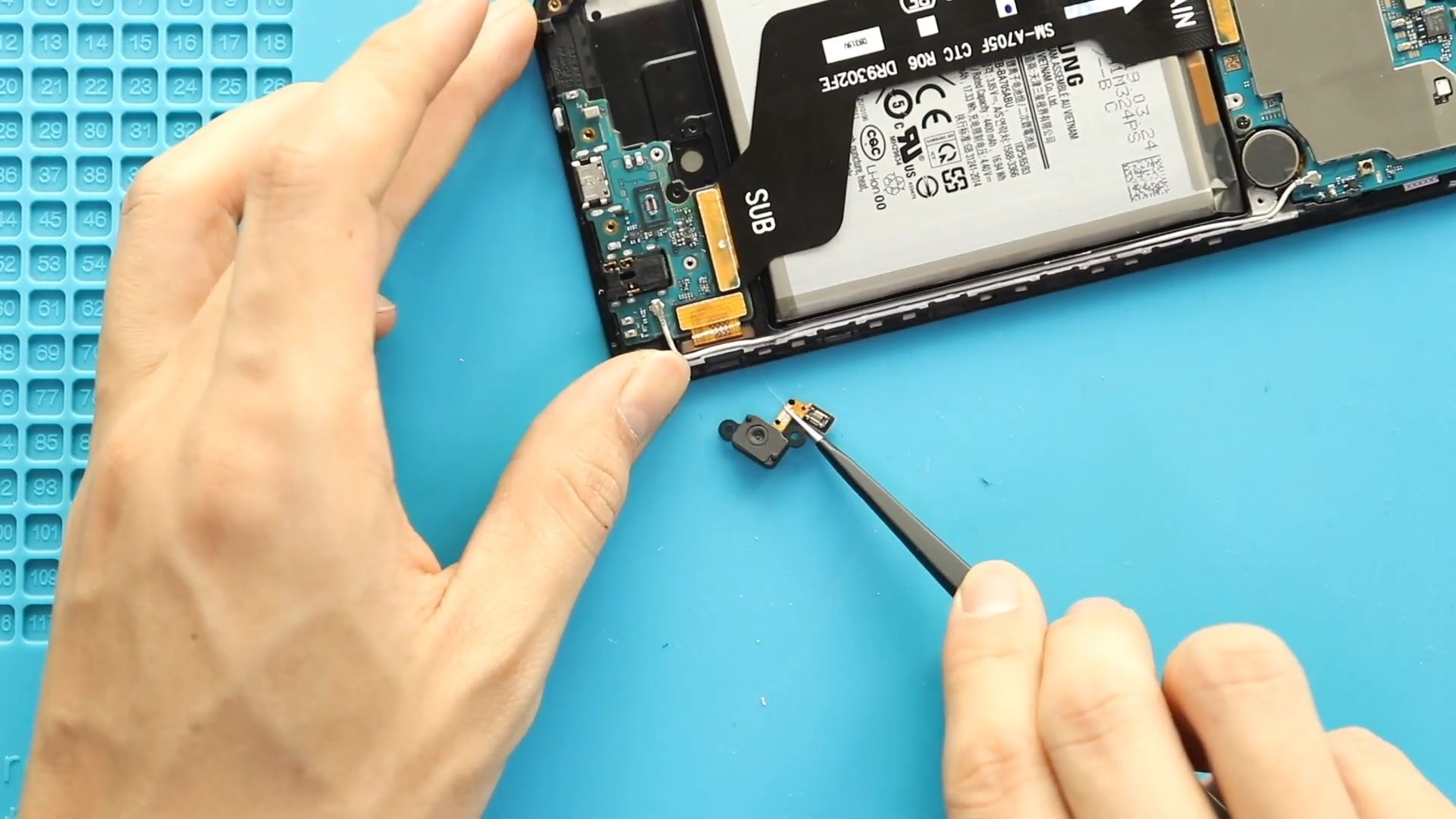
Step 5 — Remove the Faulty Fingerprint Flex Cable
Locate the fingerprint sensor flex cable connected between the rear housing and motherboard.
Carefully disconnect the connector using a plastic pry tool.
Remove the damaged fingerprint flex module from the housing.
Avoid bending the connector pins.
Step 6 — Install the New Fingerprint Flex
Place the replacement fingerprint flex cable into position.
Ensure proper alignment with the fingerprint sensor opening.
Reconnect the flex connector securely.
Check that the cable sits flat without folds.
Step 7 — Reinstall the Midframe
Position the midframe onto the device.
Ensure clips lock properly before tightening screws.
Secure all screws evenly.
Step 8 — Seal and Install the Back Cover
Before reinstalling the rear cover:
Check adhesive condition.
If adhesive is weak:
- Apply B7000 glue, or
- Use new double-sided adhesive tape.
Align the back cover carefully.
Use bonding clips or rubber bands to apply pressure while adhesive cures.
Leave secured for some time.
Frequently Asked Questions (FAQ)
Q1. Why is my fingerprint sensor missing from settings?
A disconnected or damaged fingerprint flex cable often causes this issue.
Q2. Do I need heating tools?
Yes. Heating softens adhesive and prevents cracking the back cover during removal.
Q3. Will replacing the fingerprint flex erase data?
No. This repair does not affect personal data or storage.
Q4. Should I test before sealing the back cover?
Yes. Always test fingerprint registration and unlocking before closing the phone.
Q5. Can fingerprint problems be software related?
Sometimes yes. Always restart or reset fingerprint settings before replacing hardware.
Troubleshooting After Fingerprint Flex Replacement
Q1. Fingerprint option still missing?
Reconnect the flex cable and restart the device.
Q2. Sensor detects finger but fails to unlock?
Delete old fingerprints and register new ones again.
Q3. Fingerprint works intermittently?
Check connector seating and ensure no adhesive residue blocks contacts.
Q4. Phone not turning on after repair?
Reconnect battery and inspect motherboard connectors.
Q5. Back cover lifting after repair?
Clean adhesive residue completely and apply fresh adhesive evenly.
Repair Guides


-
 01Samsung Galaxy A16 5G Battery Replacement | Full DIY Repair Guide
 -
02Samsung Galaxy A16 5G Screen Replacement | Step-by-Step Guide
-
03Google Pixel 6 Power Button Replacement Guide | Volume Button Flex Repair Guide- DIY Repair
-
04Samsung Galaxy A16 5G Back Cover & Camera Lens Frame Replacement Guide | DIY Repair
-
05Why a Heating Pad Is Essential for Mobile Phone Repairs (And How to Use it)
-
06How to Use a Heat Gun or Hair Dryer for Phone/Tablet Repairs
-
07Essential Repair Tools for Phone, Tablet & Laptop Repairs


