
Now Reading: Xiaomi Redmi Note 10 LCD Flex Cable Replacement | Note 10s
-
01
Xiaomi Redmi Note 10 LCD Flex Cable Replacement | Note 10s
Xiaomi Redmi Note 10 LCD Flex Cable Replacement | Note 10s
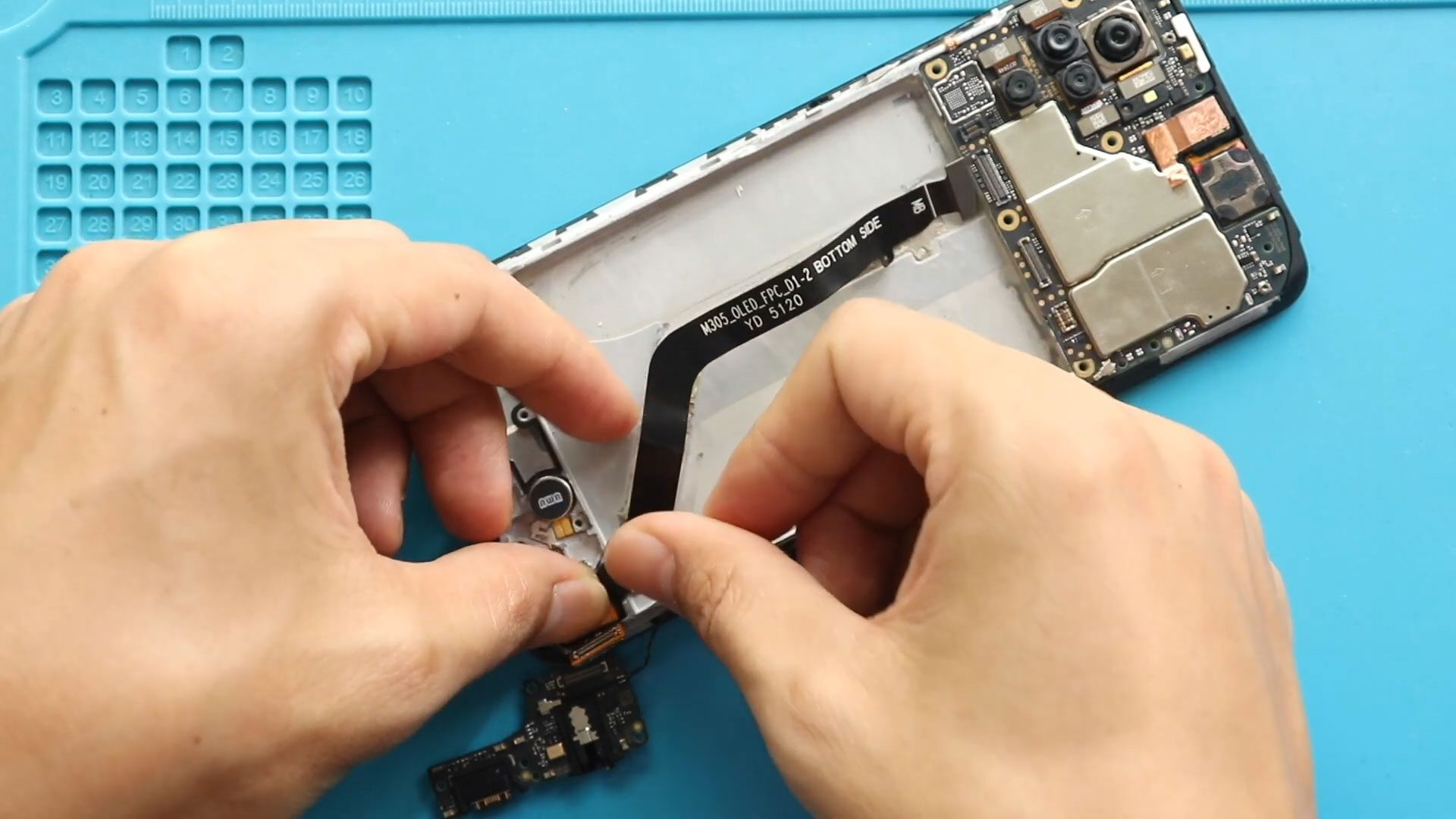
The Xiaomi Redmi Note 10 and Redmi Note 10S use an LCD flex cable to connect the display to the motherboard. If the display has connection issues or the LCD flex cable is damaged, replacing it can help restore proper screen functionality.
In this beginner-friendly guide, we walk through the process of opening the phone, removing the internal components, disconnecting the faulty LCD flex cable, installing a new one, and reassembling the phone.
Repair Information
Repair Difficulty: ★★★☆☆
Time: 30–45 minutes
Device: Xiaomi Redmi Note 10 / Redmi Note 10S
Repair Type: LCD Flex Cable Replacement
Reasons for the Repair
You may need to replace the LCD flex cable if you experience:
- Display connection problems
- Intermittent screen issues
- A damaged or torn LCD flex cable
- Screen problems after a previous repair
Before You Begin
Compatibility and Model Numbers
- Redmi Note 10
- Redmi Note 10s
Model Numbers : M2101K7AI, M2101K7AG, M2101K7BG, M2101K7BI, M2101K7BNY, M2101K7BL
Battery Model BN59
Tools Required
- Mobile phone heating pad or hairdryer/heat gun
- Plastic pry tool / card pry
- Suction cups
- Phillips #00/#000 screwdrivers
- Torx (T2/T3/T4) screwdrivers
- Flathead screwdriver
- Tweezers (for connectors)
- B7000 glue or double-sided adhesive (for back cover)
- Rubber bands or bonding clips to secure the back cover
How to Find Tools and Parts
- Heating pad – https://amzn.to/3H0tHzJ
- Portable Heat Gun – https://amzn.to/4mszih1
- Clamps https://amzn.to/3GYJT4w
- STREBITO 142 Piece Repair Tool Kit https://amzn.to/3UO1jUx
- Glue | Adhesive https://amzn.to/46exVxe
- Compatible Parts –
- Battery – https://amzn.to/4nnTu3U
- Screen – https://amzn.to/3WPEvEP
- Other Parts – https://amzn.to/3JqYKWm
- Silicone Work Repair Mat https://amzn.to/45Emz5l
Step-by-Step LCD Flex Cable Replacement
1. Turn Off the Phone
Before starting the repair, completely power off the Xiaomi Redmi Note 10 or Note 10S. Remove the SIM tray and make sure the phone is disconnected from any charger or accessories.
2. Open the Phone
Carefully heat the back cover to soften the adhesive holding it in place. Use a suction cup and plastic opening tool to create a small gap around the edges.
Work slowly around the phone and avoid inserting the tool too deeply.
3. Remove the Back Cover
Once the adhesive has been loosened, carefully separate the back cover from the phone. Set it aside safely.
4. Remove the Camera Lens Frame
Remove the screws securing the camera lens frame and carefully lift the frame away from the phone.
5. Remove the Mid Frame
Remove the screws securing the mid frame. Carefully separate the mid frame from the phone to access the internal components.
6. Remove the Main Flex
Disconnect the main flex cable from the motherboard and carefully remove it from the phone.
7. Disconnect and Remove the Battery
Disconnect the battery connector before continuing with the repair. Carefully remove the battery from the phone without bending or damaging it.
8. Remove the Speaker Buzzer
Remove the speaker buzzer assembly and set it aside.
9. Remove the Charging Port
Disconnect and remove the charging port assembly to gain access to the LCD flex cable.
10. Remove the Faulty LCD Flex Cable
Carefully disconnect the damaged LCD flex cable and remove it from the phone. Make sure no adhesive or debris remains on the frame.
11. Install the New LCD Flex Cable
Position the replacement LCD flex cable correctly and secure it in place. Make sure the connector is properly aligned before reconnecting it.
12. Reinstall the Charging Port
Place the charging port assembly back into position and reconnect it securely.
13. Reinstall the Speaker Buzzer
Place the speaker buzzer assembly back into the phone and secure it properly.
14. Reinstall the Battery
Position the battery correctly and reconnect the battery connector.
15. Reconnect the Main Flex
Install the main flex cable and make sure both ends are properly connected.
16. Reinstall the Mid Frame
Place the mid frame back into position and reinstall all of the necessary screws.
17. Reinstall the Camera Lens Frame
Place the camera lens frame back over the camera area and secure it with its screws.
18. Close the Phone
Before sealing the phone, check that all connectors and components are properly installed. Apply suitable adhesive to the back cover and carefully place it back onto the phone.
Press around the edges to ensure a secure bond.
FAQ
Can I use this guide for the Redmi Note 10S?
Yes. The repair procedure shown is suitable for the Xiaomi Redmi Note 10 and Redmi Note 10S, although internal component layouts can vary slightly between versions.
What happens if the LCD flex cable is damaged?
A damaged LCD flex cable can cause display connection problems or prevent the screen from working correctly.
Should I disconnect the battery before replacing the flex cable?
Yes. Disconnecting the battery before working on internal connectors helps reduce the risk of accidental electrical damage.
Troubleshooting
The display still does not work after replacing the flex cable.
Check that the LCD connector is fully seated and that the replacement flex cable is not damaged.
The phone does not turn on after reassembly.
Reconnect the battery and main flex cable, then check that all motherboard connectors are properly seated.
The back cover does not stick properly.
Clean the old adhesive from the frame and use suitable replacement adhesive before reinstalling the back cover.
Related Guides


-
 01Samsung Galaxy A16 5G Battery Replacement | Full DIY Repair Guide
 -
02Samsung Galaxy A16 5G Screen Replacement | Step-by-Step Guide
-
03Google Pixel 6 Power Button Replacement Guide | Volume Button Flex Repair Guide- DIY Repair
-
04Samsung Galaxy A16 5G Back Cover & Camera Lens Frame Replacement Guide | DIY Repair
-
05Why a Heating Pad Is Essential for Mobile Phone Repairs (And How to Use it)
-
06How to Use a Heat Gun or Hair Dryer for Phone/Tablet Repairs
-
07Essential Repair Tools for Phone, Tablet & Laptop Repairs


