
Now Reading: DIY Samsung Galaxy A51 5G Battery Repair Guide
-
01
DIY Samsung Galaxy A51 5G Battery Repair Guide
DIY Samsung Galaxy A51 5G Battery Repair Guide
To start we need to have the right tools to proceed with the repair which you can find in the description first take off the sim tray and then the back cover removal to remove the back cover it needs to heat gently around the rear cab edges until the pasted adhesive becomes soft for this we are using a heating pad place the back core side on the heating pad and select the mobile phone heating option and leave it till it completes alternatively you can use a heat gun or hair dryer
once the heating has completed use a suction cup to create an opening between the frame and rear cover next insert a plastic car pry tool or something similar to cut the adhesive around the back cover
next, take out the back curve and take out the main board frame with the wireless coil by undoing screws first undo nine screws, and then using a pry tool lift the wireless coil by cutting the adhesive under it
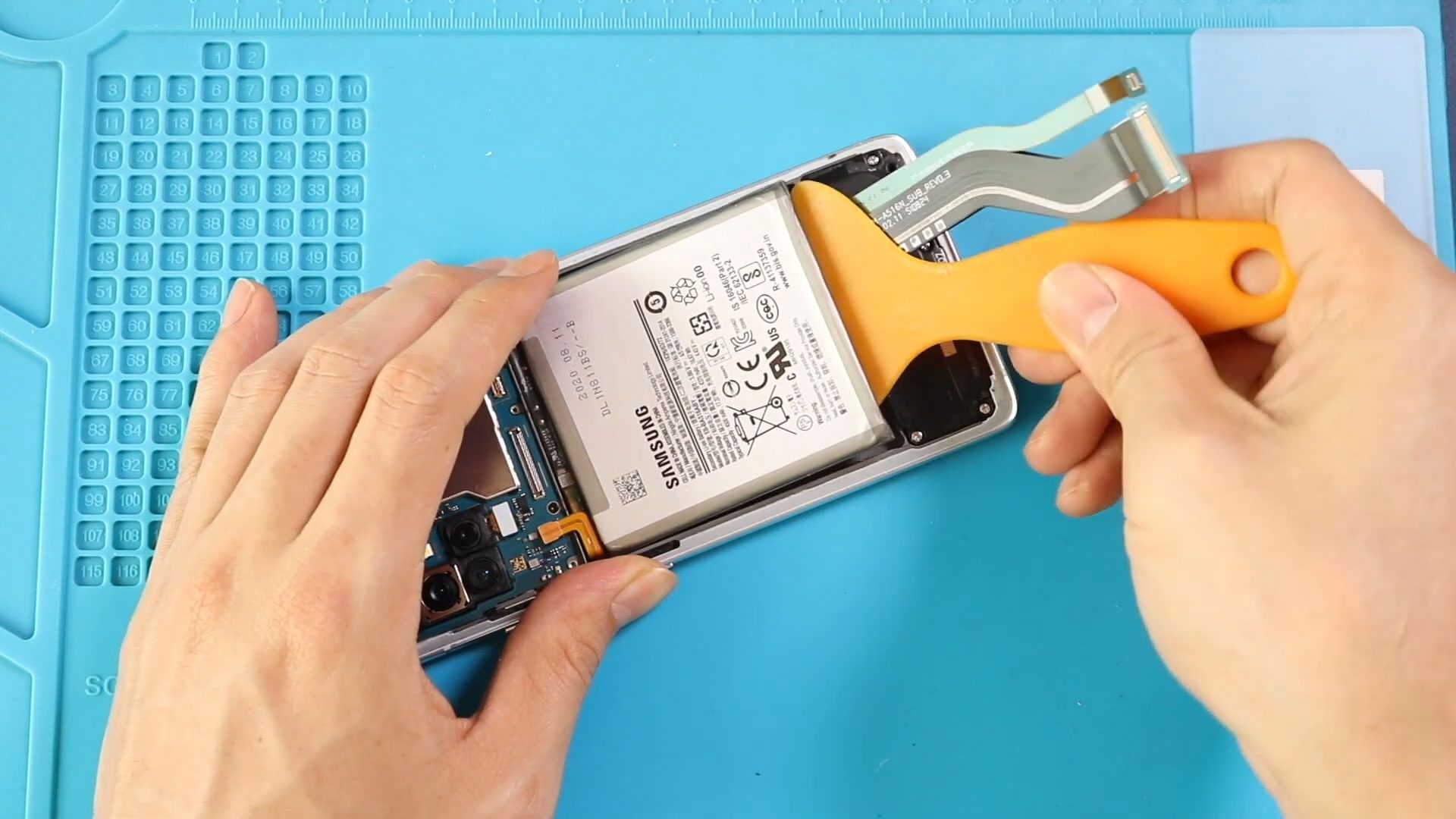
Next, disconnect the battery and both paint ribbon connectors Next remove the broken battery first apply the heat to soften the glue under it, and then use a plastic car pry tool or something similar to cut the adhesive under it gently this process and pull out the battery using a bright hole
next place the new battery on the body by adding adhesive
Next, secure the battery connector and both connector plugs into the logic board
next, add the sim card tray and place the main board frame with the wireless coil to the body secure the frame by adding 9 screws
before installing the main back cover make sure it has enough glue on it if not use b7000 glue or new double-sided backup adhesive
finally, we’re adding binding clips to tighten the rear car with the body if not you can use some rubber bands and leave them for some time hope you have enjoyed the battery replacement guide on Samsung Galaxy A51 5g version Let us know if you have any questions


-
 01Samsung Galaxy A16 5G Battery Replacement | Full DIY Repair Guide
 -
02Samsung Galaxy A16 5G Screen Replacement | Step-by-Step Guide
-
03Google Pixel 6 Power Button Replacement Guide | Volume Button Flex Repair Guide- DIY Repair
-
04Samsung Galaxy A16 5G Back Cover & Camera Lens Frame Replacement Guide | DIY Repair
-
05Why a Heating Pad Is Essential for Mobile Phone Repairs (And How to Use it)
-
06How to Use a Heat Gun or Hair Dryer for Phone/Tablet Repairs
-
07Essential Repair Tools for Phone, Tablet & Laptop Repairs


