
Now Reading: Motorola Moto G Stylus 2020 XT2043 Charging Board Replacement Guide
-
01
Motorola Moto G Stylus 2020 XT2043 Charging Board Replacement Guide
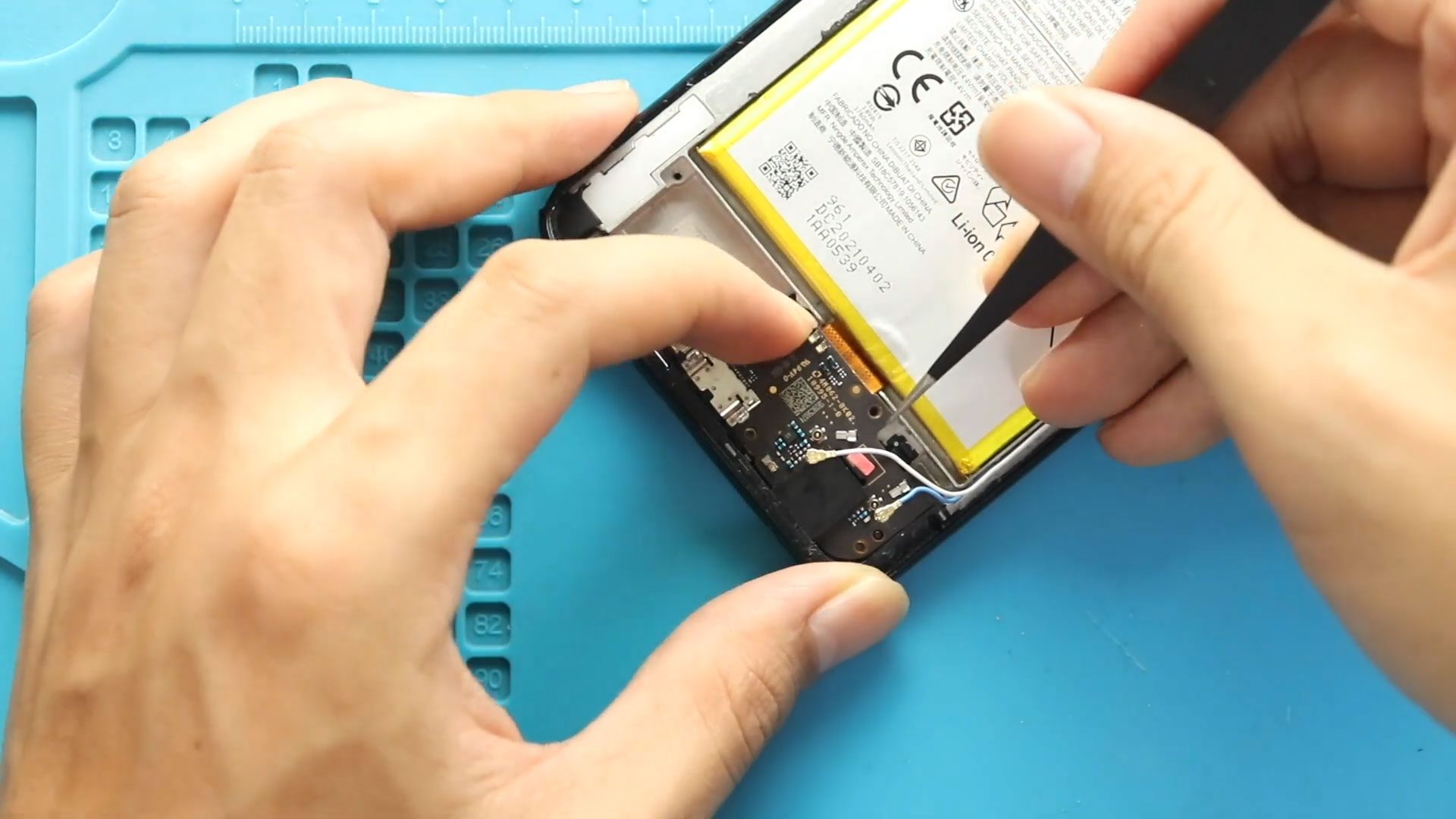
Motorola Moto G Stylus 2020 XT2043 Charging Board Replacement Guide
Hi everyone, Welcome back to Geardo 👋
Today, we will show you how to replace the charging port and headphone jack board on the Motorola Moto G Stylus (2020) mobile phone.
If your phone is not charging properly, has loose cable connection issues, or your headphone jack is not working, replacing this board can fix multiple problems at once.
This guide is written in a beginner-friendly step-by-step format, so you can safely follow along even if you’re new to phone repairs.
Before starting, make sure you have the correct tools ready.
Repair Difficulty
Repair Difficulty: ⭐⭐⭐⭐☆ (Moderately Difficult)
Estimated Time: 35–60 minutes
Device Type: Smartphone
Repair Type: Charging Port & Headphone Jack Board Replacement
Reasons for This Repair
- Phone not charging or slow charging
- Loose charging cable connection
- Headphone jack not detecting earphones
- Audio issues when using wired headphones
- Charging port physically damaged
Check The Latest Motorola Phones are in Clearance “up to 60% off” – https://amzn.to/480ho0w
Before You Begin
Compatibility and Model Numbers
- Motorola Moto G Stylus (2020)
Model Numbers | XT2043, XT2043-4
Tools Required
- Mobile phone heating pad or hairdryer/heat gun
- Plastic pry tool / card pry
- Suction cups
- Phillips #00/#000 screwdrivers
- Torx T3 / T4 / T5 Screwdriver (Depends on the version)
- Flathead Screwdriver
- Tweezers (for connectors)
- B7000 glue or double-sided adhesive (for back cover)
- Rubber bands or bonding clips to secure the back cover
Using proper tools reduces the risk of damaging the phone.
How to Find Tools and Parts
- Heating pad – https://amzn.to/3H0tHzJ
- Portable Heat Gun – https://amzn.to/4mszih1
- Clamps https://amzn.to/3GYJT4w
- STREBITO 142 Piece Repair Tool Kit https://amzn.to/3UO1jUx
- Glue | Adhesive https://amzn.to/46exVxe
- Compatible Parts –
- Battery – https://amzn.to/499v2jk
- Screen – https://amzn.to/47HnpOv
- Other Parts – https://amzn.to/4hO2wG5
- Silicone Work Repair Mat https://amzn.to/45Emz5l
Step 1: Heat the Back Cover
First, remove the back cover from the device.
Gently heat around the edges to soften the adhesive.
You can use:
- Heating pad (recommended)
- Heat gun
- Hairdryer
Place the phone with the back facing down on the heating pad and allow it to heat evenly.
Step 2: Create an Opening
Use a suction cup to create a small gap.
Insert a plastic pry tool or card and carefully slide it around the edges to cut the adhesive.
Step 3: Remove the Back Cover
Hold near the fingerprint (touch ID) area and gently pull the back cover away from the body.
Step 4: Remove the Logic Board Frame
Undo the nine screws securing the logic board frame.
Carefully remove the frame along with the camera housing.
Step 5: Disconnect the Battery
Lift and disconnect the battery connector to ensure safety before continuing.
Step 6: Remove Speaker Cover
Undo the six screws securing the speaker cover.
Carefully lift and remove it.
Step 7: Disconnect Antenna Cables
Unplug the two antenna connectors attached to the charging board.
Use a plastic tool and be gentle to avoid damage.
Step 8: Remove Charging Board
Use a pry tool to gently lift the charging port board.
The connector cable is located under the top center of the board.
Carefully detach it and remove the board completely.
Step 9: Install New Charging Board
Place the new charging port and headphone jack board into position.
Reconnect the main connector cable securely.
Step 10: Reconnect Antenna Heads
Reattach the two antenna connectors to the new board.
Step 11: Reinstall Speaker Cover
Place the speaker cover back and secure it with the six screws.
Step 12: Reconnect Battery
Reconnect the battery connector and secure any tape if present.
Step 13: Reassemble the Frame
Place the logic board frame back and secure it using the nine screws.
Step 14: Reattach the Back Cover
Before installing:
- Ensure adhesive is still usable
- If not, apply B7000 glue or new adhesive
Press the back cover firmly into place.
Step 15: Secure the Device
Use bonding clips or rubber bands to hold the phone together while the adhesive sets.
FAQ (Frequently Asked Questions)
Q1: Can I fix charging issues by replacing this board?
Yes, most charging problems are caused by a faulty charging port board.
Q2: Will this fix headphone jack issues?
Yes, since the headphone jack is part of the same board.
Q3: Is this repair beginner-friendly?
It’s moderately difficult but manageable with patience.
Q4: Do I need soldering?
No, this is a modular replacement—no soldering required.
Q5: What if my phone still doesn’t charge?
The issue could be the battery or motherboard.
🔧 Troubleshooting
Q1: Phone still not charging after replacement
Check the connector cable and ensure it is properly attached.
Q2: No audio from headphone jack
Make sure the board is seated correctly and connectors are secure.
Q3: Antenna signal weak after repair
Verify both antenna cables are properly reconnected.
Q4: Phone not turning on
Ensure the battery connector is properly plugged in.
Q5: Back cover not sticking properly
Use new adhesive or B7000 glue and secure with clips.
📌 Final Thoughts
Replacing the charging port and headphone jack board on the Motorola Moto G Stylus (2020) is an effective way to fix charging and audio issues in one repair.
Take your time, follow each step carefully, and you’ll restore your device to full functionality.
Let us know if you have any questions, and feel free to share your repair experience
Related Guides


-
 01Samsung Galaxy A16 5G Battery Replacement | Full DIY Repair Guide
 -
02Samsung Galaxy A16 5G Screen Replacement | Step-by-Step Guide
-
03Google Pixel 6 Power Button Replacement Guide | Volume Button Flex Repair Guide- DIY Repair
-
04Samsung Galaxy A16 5G Back Cover & Camera Lens Frame Replacement Guide | DIY Repair
-
05Why a Heating Pad Is Essential for Mobile Phone Repairs (And How to Use it)
-
06How to Use a Heat Gun or Hair Dryer for Phone/Tablet Repairs
-
07Essential Repair Tools for Phone, Tablet & Laptop Repairs


