Now Reading: Samsung Galaxy A04 Camera Replacement Guide (Front & Rear) – A04e | M04 | F04 | A04s
-
01
Samsung Galaxy A04 Camera Replacement Guide (Front & Rear) – A04e | M04 | F04 | A04s
Samsung Galaxy A04 Camera Replacement Guide (Front & Rear) – A04e | M04 | F04 | A04s

Camera problems on the Samsung Galaxy A04 can significantly affect photography, video recording, and video calling performance. Physical damage, moisture exposure, or internal hardware failure may cause blurry images, camera crashes, or complete camera malfunction.
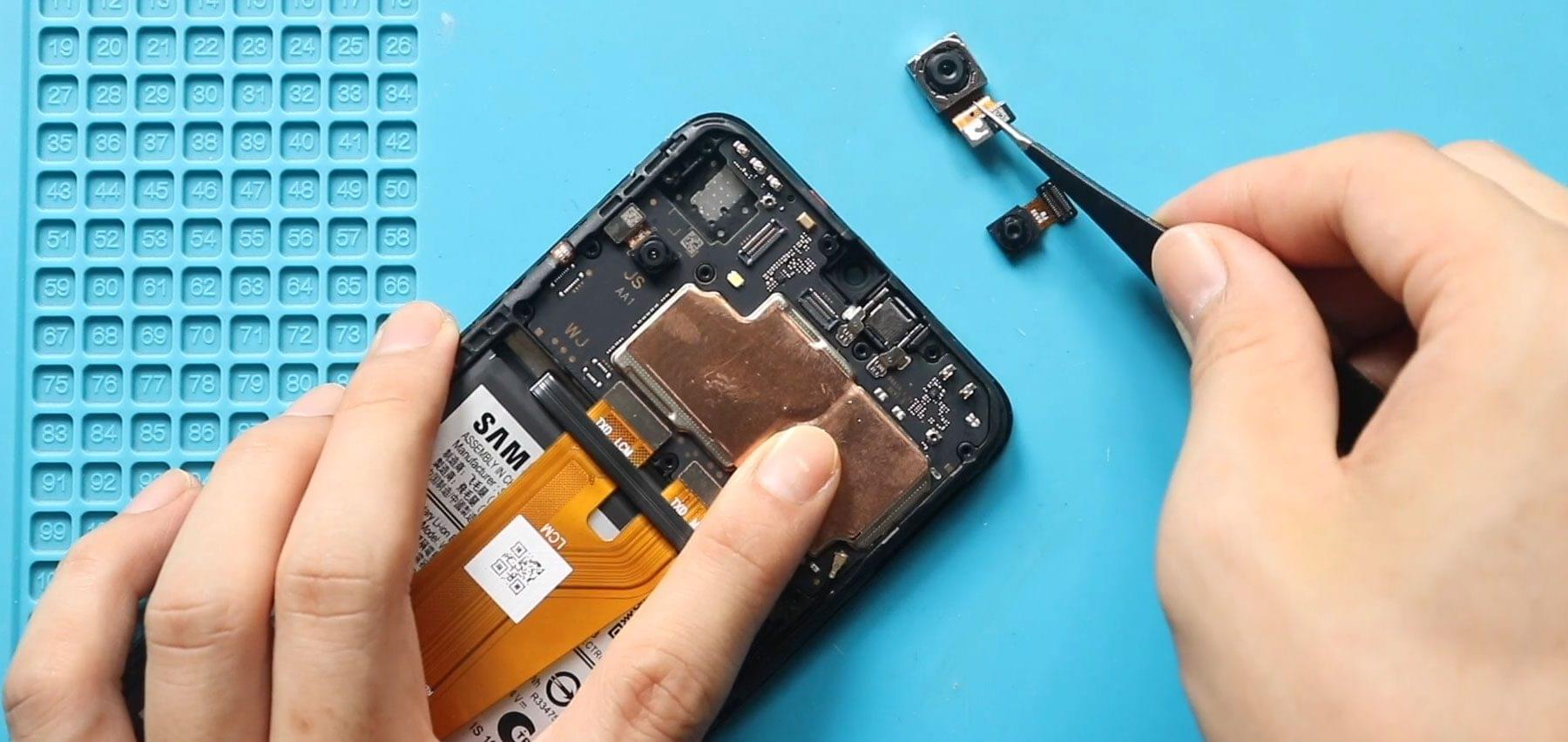
In this repair guide, we will show you how to safely replace the front camera together with the wide and depth rear cameras on the Samsung Galaxy A04 mobile phone. This repair restores image quality and ensures all camera functions operate normally again.
Carefully follow each step and always disconnect the battery before handling camera connectors to prevent electrical damage.
Protect Your Galaxy A04 Series
- Best Rated Case https://amzn.to/4l7QBVh
- Protect the Screen https://amzn.to/4r0E9bd
==== Latest Samsung Super Budget Phones – https://amzn.to/4rGpR0E ===
Reasons for Samsung Galaxy A04 Camera Replacement
You may need this repair if you notice:
- Camera app crashing or freezing
- Blurry or unfocused photos
- Black screen when opening camera
- Depth or portrait mode not working
- Front camera not working during video calls
- Dust or moisture inside the camera lens
Repair Difficulty ⭐⭐☆☆☆ (Easy — Moderate)
- Device Type: Smartphone
- Device Model: Samsung Galaxy A04
- Repair Type: Front Camera + Wide Camera + Depth Camera Replacement
- Estimated Repair Time: 15 — 25 Minutes
This repair requires opening the back cover and disconnecting camera connectors but does not require heating or full device disassembly.
Before You Begin
Compatibility and Model Numbers
- Samsung Galaxy A04
- Samsung Galaxy M04*
- Samsung Galaxy F04*
- Samsung Galaxy A04e*
- Samsung Galaxy A04s*
This repair guide based on Samsung Galaxy A04 Model.
*Please note that there are some internal changes. Make sure to pay close attention during the repair.
Model Numbers | SM-A045F, SM-A045F/DS, SM-A045M, SM-A047F, SM-A047F/DS, SM-A047F/DSN, SM-A047M, SM-A042F, SM-A042F/DS, SM-A042M, SM-A042M/DS, SM-E045F, SM-E045F/DS, SM-M045F, SM-M045F/DS
Tools Required
- Mobile phone heating pad or hairdryer/heat gun
- Plastic pry tool / card pry
- Suction cups
- Phillips #00/#000 screwdrivers
- Flat Screwdriver (Handy For Connectors)
- Tweezers (for connectors)
- B7000 glue or double-sided adhesive (for back cover)
- Rubber bands or bonding clips to secure the back cover
Using proper tools reduces the risk of damaging the phone.
How to Find Tools and Parts
- Heating pad – https://amzn.to/3H0tHzJ
- Portable Heat Gun – https://amzn.to/4mszih1
- Clamps https://amzn.to/3GYJT4w
- STREBITO 142 Piece Repair Tool Kit https://amzn.to/3UO1jUx
- Glue | Adhesive https://amzn.to/46exVxe
- Compatible Parts (Galaxy A04) –
- Battery – https://amzn.to/3N66FKA
- Screen – https://amzn.to/3OMAekQ
- Other Parts – https://amzn.to/4r0DQgz
- Compatible Parts (Galaxy A04s) –
- Battery – https://amzn.to/3MIOVF3
- Screen – https://amzn.to/4u3ecus
- Other Parts – https://amzn.to/46wTeKd
- Silicone Work Repair Mat https://amzn.to/45Emz5l
Samsung Galaxy A04 Camera Replacement — Step-by-Step Guide
Step 1 — Power Off and Remove SIM Tray
Turn off the Samsung Galaxy A04 completely.
Remove the SIM tray using a SIM ejector tool.
Step 2 — Remove the Back Cover
Create a small opening near the SIM slot or charging port using a plastic pry tool.
Insert the pry tool between the frame and back cover.
Carefully slide around the phone edges to release the plastic clips.
Gently lift and remove the back cover.
Step 3 — Remove Board Bracket
Locate the motherboard protection bracket.
Remove the ten Phillips screws securing the bracket.
Carefully lift and remove the bracket.
Step 4 — Disconnect Battery Connector
Disconnect the battery plug using a plastic pry tool.
Disconnecting power prevents short circuits during component replacement.
Step 5 — Remove Front Camera
Disconnect the front camera connector from the motherboard.
Gently lift and remove the front camera module.
Step 6 — Remove Rear Wide and Depth Cameras
Disconnect the wide camera and depth camera connectors.
Carefully lift and remove the faulty camera modules from the motherboard.
Step 7 — Install Replacement Cameras
Place the replacement wide and depth cameras into position.
Secure them properly onto the board.
Install the new front camera and reconnect the connector carefully.
Make sure all connectors align correctly before pressing down.
Step 8 — Reconnect Battery and Reassemble
Reconnect the battery connector.
Reinstall the board bracket.
Secure it using the ten screws removed earlier.
Step 9 — Final Assembly
Align the back cover.
Press around the edges until all clips snap into place.
Reinsert the SIM tray.
Power on the device and test all cameras before regular use.
Frequently Asked Questions (FAQ)
Q1. Do I need heating for this repair?
No heating is required since the cameras are connector-mounted components.
Q2. Why disconnect the battery first?
Disconnecting the battery prevents short circuits and protects the motherboard.
Q3. Will replacing cameras fix blurry photos?
Yes. Hardware replacement resolves most focus and image sensor issues.
Q4. Can dust inside the lens cause problems?
Yes. Dust or moisture can reduce image quality and cause camera errors.
Q5. Should I test the cameras before closing the phone?
Yes. Always test front and rear cameras before installing the back cover completely.
Troubleshooting After Camera Replacement
Q1. Camera app still shows black screen?
Reconnect the camera connectors and restart the phone.
Q2. Portrait mode not working?
Check whether the depth camera connector is properly seated.
Q3. Front camera not detected?
Remove and reconnect the front camera flex cable.
Q4. Camera shaking or unfocused?
Ensure the camera module sits flat and is not misaligned.
Q5. Phone not powering on after repair?
Check the battery connector and reinstall the board bracket properly.
Related Guides