
Now Reading: Samsung Galaxy A13 Vibrator Motor Replacement Guide
-
01
Samsung Galaxy A13 Vibrator Motor Replacement Guide
Samsung Galaxy A13 Vibrator Motor Replacement Guide
Hi everyone, welcome back to DIYGeardo.
Today, we’ll show you how to replace the vibrator motor on the Samsung Galaxy A13 4G mobile phone.
If your phone no longer vibrates for calls or notifications, has weak vibration feedback, or produces abnormal buzzing sounds, a faulty vibrator motor is often the cause. This guide walks you through the complete vibrator replacement process using safe and reliable repair methods.
Before starting, make sure the phone is powered off and you have the right tools, which you can find linked in the description.
Estimated Repair Time
⏱ 20–30 minutes
Repair Difficulty
🛠 Easy
Compatibility and Model Numbers
This repair guide based on Samsung Galaxy A13 4G device, but it also compatible with Galaxy M13 4g and Galaxy F13 models.
Compatible Mode Numbers l SM-A135F, SM-A135F/DS, SM-A135M, SM-A135U, SM-A135U1, SM-A135N, SM-A137F, SM-A137F/DSN, SM-A137F/DS, SM-M135F, SM-M135F/DSN, SM-E135F, SM-E135F/DS
Before You Begin
Required Tools
- Heating pad / heat gun / hairdryer
- Suction cup
- Plastic card pry tools / opening picks
- Phillips screwdriver
- Adhesive (B7000 or double-sided back cover adhesive)
- Bonding clips or rubber bands (optional but recommended)
Make sure the phone is turned off and the SIM tray is removed before starting.
How to Find Tools and Parts
- Heating pad – https://amzn.to/3H0tHzJ
- Portable Heat Gun – https://amzn.to/4mszih1
- Clamps https://amzn.to/3GYJT4w
- STREBITO 142 Piece Repair Tool Kit https://amzn.to/3UO1jUx
- Glue | Adhesive https://amzn.to/46exVxe
- Compatible Parts –
- Battery – https://amzn.to/4mwa41Z
- Screen – https://amzn.to/4n0XV4X
- Other Parts – https://amzn.to/41lzman
- Silicone Work Repair Mat https://amzn.to/45Emz5l
Step-by-Step Repair Instructions
Step 1: Power Off & SIM Tray
First, turn off the phone completely.
Remove the SIM tray and prepare the device for back cover removal.
Step 2: Remove the Back Cover
Create a small gap near the SIM slot or charging port using a picker or plastic card pry tool.
Insert the pry tool and gently move around the phone to release the plastic clips on the frame.
⚠️ Be careful while lifting the back cover, as the fingerprint sensor flex is attached.
Step 3: Remove the Board Frame
Undo the screws securing the board frame and carefully lift it out of the phone.
Step 4: Remove the Speaker Cover
Undo the screws securing the speaker cover at the bottom of the phone and remove it.
Step 5: Remove the Charging Port Board
Disconnect the charging port flex cable.
Undo the securing screws and gently lift out the charging port board.
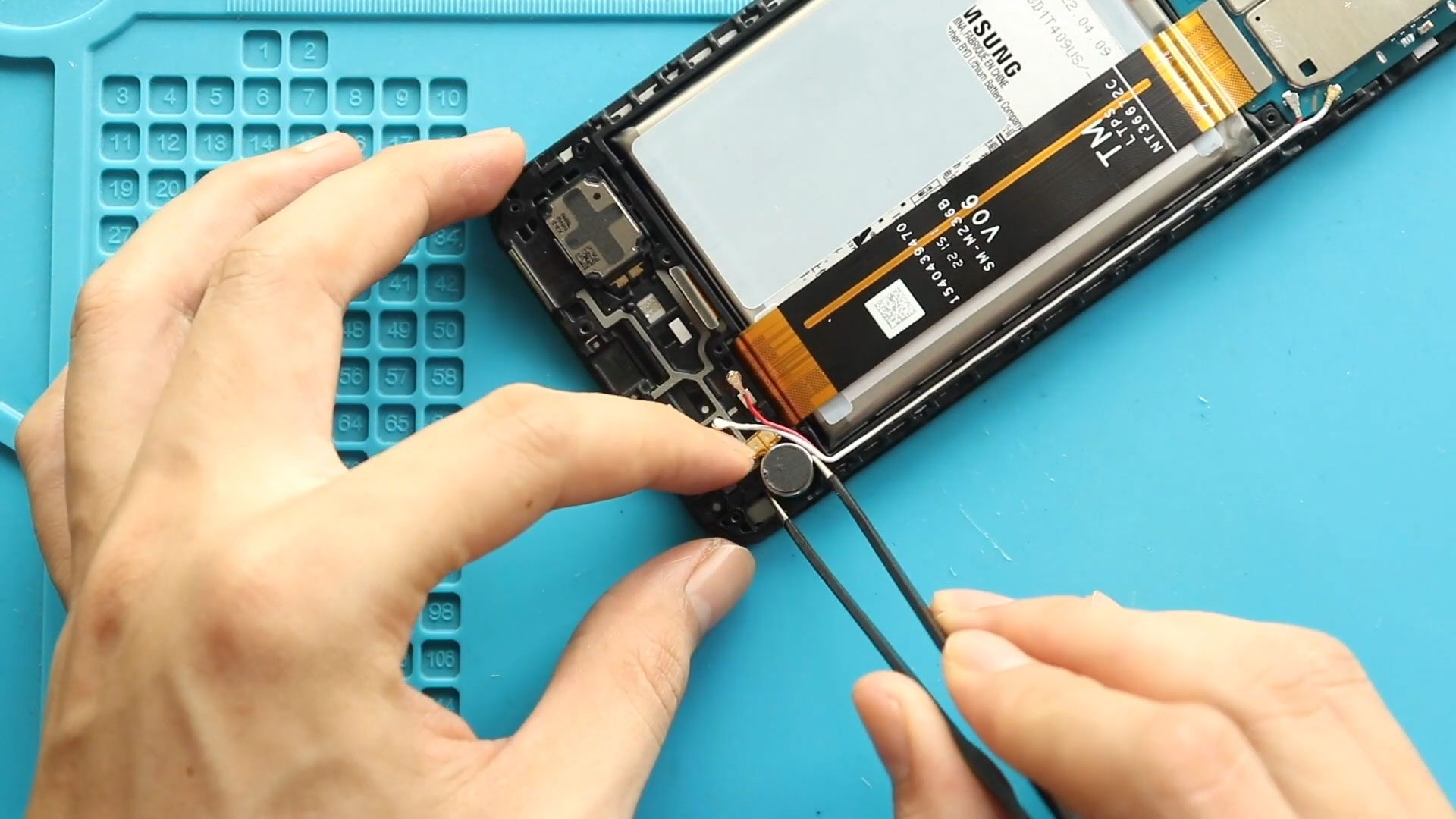
Step 6: Remove the Faulty Vibrator Motor
Locate the vibrator motor in the lower housing.
Apply gentle heat if necessary and carefully remove the faulty vibrator motor from the frame.
Step 7: Install the New Vibrator Motor
Place the new Galaxy A13 4G vibrator motor into position.
Ensure it is aligned correctly and seated flat in the frame.
Step 8: Reinstall the Charging Port Board
Place the charging port board back into position and secure it with screws.
Reconnect the flex cable properly.
Step 9: Reinstall the Speaker Cover
Reinstall the speaker cover and secure it using the screws removed earlier.
Step 10: Reinstall the Board Frame
Position the board frame back onto the phone and secure it with screws.
Final Step: Close the Phone
Reconnect the fingerprint sensor flex if required.
Snap the back cover into place and press around the edges to secure all clips.
Insert the SIM tray, power on the device, and test the vibration function.
FAQs
1. What are signs of a faulty vibrator motor?
No vibration, weak vibration, or unusual buzzing sounds.
2. Is the vibrator motor a separate part?
Yes. It is an individual component and can be replaced independently.
3. Do I need to remove the screen for vibrator replacement?
No. This repair is performed entirely from the back side.
4. Can water damage affect the vibrator motor?
Yes. Moisture can corrode the motor and cause vibration failure.
Troubleshooting FAQs – After The Repair
1. No vibration after replacement
Check that the charging port board and connectors are properly installed.
2. Weak vibration after repair
Ensure the vibrator motor is seated correctly and not loosely installed.
3. Phone does not power on after reassembly
Recheck all connections, especially the battery and board frame.
Related Guides


-
 01Samsung Galaxy A16 5G Battery Replacement | Full DIY Repair Guide
 -
02Samsung Galaxy A16 5G Screen Replacement | Step-by-Step Guide
-
03Google Pixel 6 Power Button Replacement Guide | Volume Button Flex Repair Guide- DIY Repair
-
04Samsung Galaxy A16 5G Back Cover & Camera Lens Frame Replacement Guide | DIY Repair
-
05Why a Heating Pad Is Essential for Mobile Phone Repairs (And How to Use it)
-
06How to Use a Heat Gun or Hair Dryer for Phone/Tablet Repairs
-
07Essential Repair Tools for Phone, Tablet & Laptop Repairs


