
Now Reading: Samsung Galaxy S20 FE Fingerprint Touch ID Camera Replacement Guide
-
01
Samsung Galaxy S20 FE Fingerprint Touch ID Camera Replacement Guide

Samsung Galaxy S20 FE Fingerprint Touch ID Camera Replacement Guide
Hi everyone, welcome back to GEARDO.
In this guide, we’ll show you how to replace the fingerprint / Touch ID camera sensor on the Samsung Galaxy S20 FE.
If your fingerprint sensor is not detecting touches or has stopped working after a drop, this step-by-step guide will help you fix it at home.
Make sure you have the correct opening tools, heat pad, plastic prying tools, tweezers, and a small Phillips screwdriver.
(Full tool list is in below description.)
Compatibility and Model Numbers
This repair guide based on Samsung Galaxy S20 FE 5G mobile phone, but it is also compatible with Galaxy S20 FE 4g & S20 FE 2022 models too.
Compatible Mode Numbers l SM-G781B, SM-G781B/DS, SM-G781U, SM-G781U1, SM-G781W, SM-G7810, SM-G781N, SM-G781V, SM-G780F, SM-G780F/DSM, SM-G780G, SM-G781NK, SM-G781NK22
Tools You Need
- Heating pad / heat gun / hairdryer
- Suction cup
- Plastic card pry tools / opening picks
- Phillips PH000 screwdriver
- Adhesive (B7000 or double-sided back cover adhesive)
- Bonding clips or rubber bands (optional but recommended)
How to Find Tools and Parts
- Heating pad – https://amzn.to/3H0tHzJ
- Portable Heat Gun – https://amzn.to/4mszih1
- Clamps https://amzn.to/3GYJT4w
- STREBITO 142 Piece Repair Tool Kit https://amzn.to/3UO1jUx
- Glue | Adhesive https://amzn.to/46exVxe
- Compatible Parts https://amzn.to/4pOwJIM
- Silicone Work Repair Mat https://amzn.to/45Emz5l
How to Use the Heating Pad Properly
Step-by-Step Repair Instructions
Step 1 — Prepare and Power Off the Device
Completely power off your Galaxy S20 FE before starting the repair.
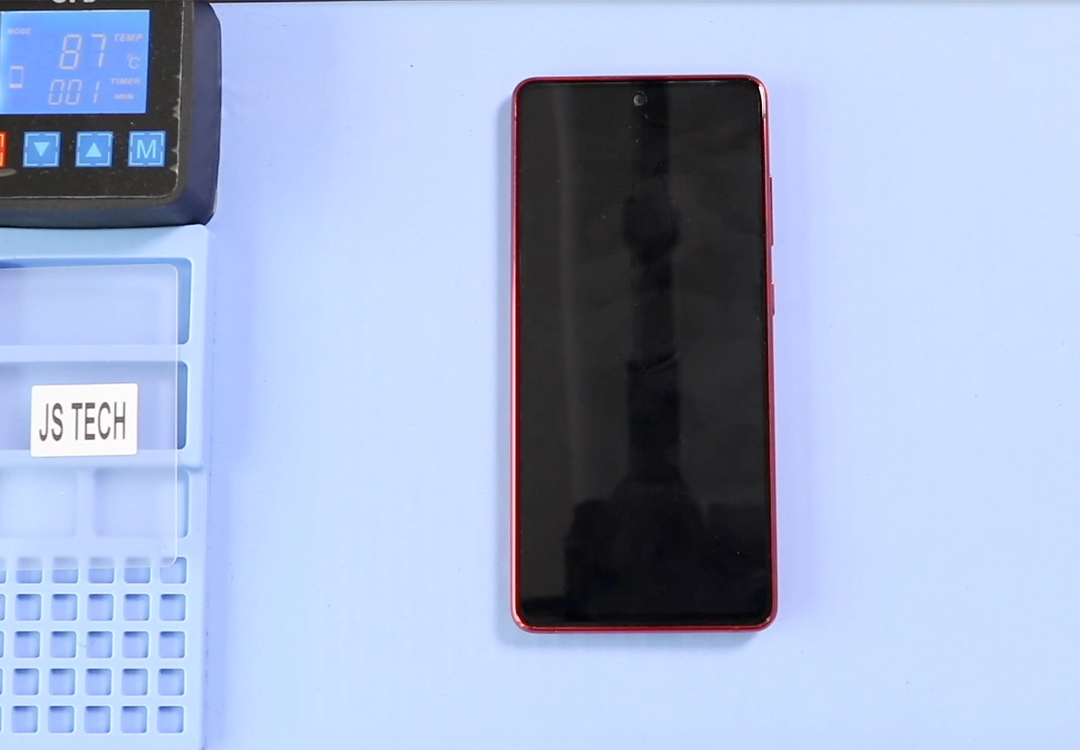
Step 2 — Heat and Open the Back Panel
Apply heat to the back cover to soften the adhesive.
Use a plastic pick to create a gap and gently work around the edges to loosen the back panel.
Step 3 — Remove the Back Cover
Lift the back cover slowly and set it aside safely.
Avoid forcing the corners, as the adhesive may still be strong.
Step 4 — Remove the Board Frame & Wireless Charging Coil
Remove all screws holding the top board frame.
Lift the frame together with the wireless charging coil carefully.
Step 5 — Remove the Speaker Cover
Unscrew and remove the speaker cover located near the bottom section of the phone.
Charging Not Working? Replace the Charger Port in This Step
Step 6 — Remove the Non-Working Fingerprint / Touch ID Camera
Disconnect the fingerprint sensor connector.
Lift and remove the faulty fingerprint / Touch ID camera module.
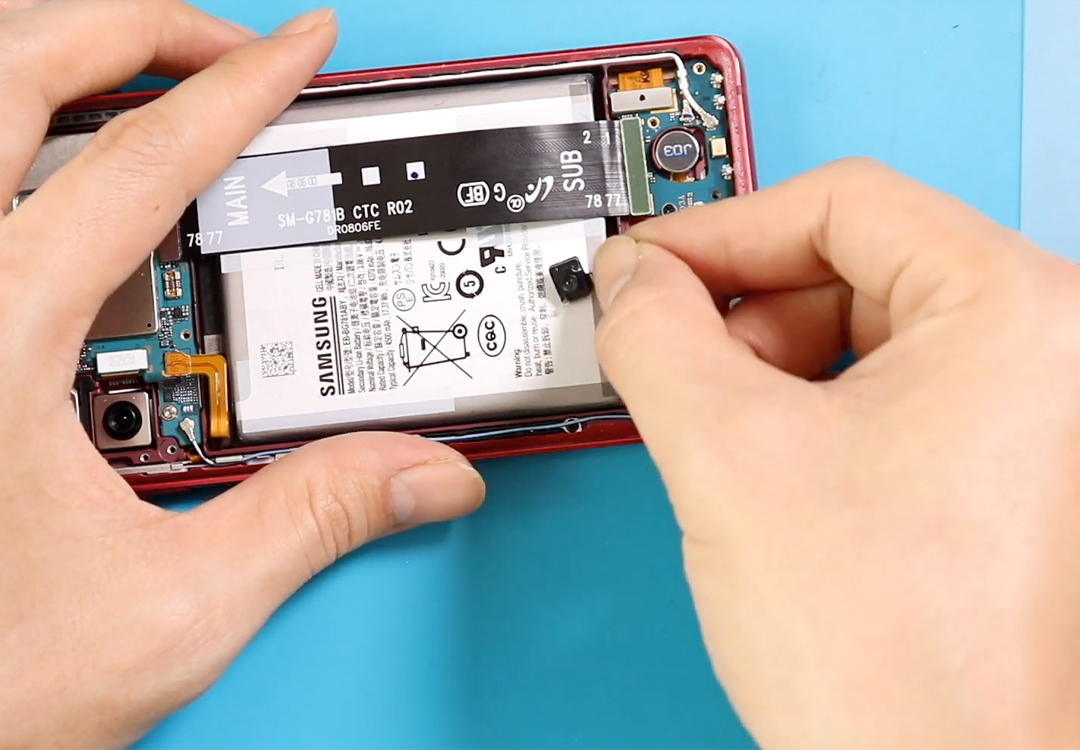
Step 7 — Install the New Fingerprint Sensor
Place the new fingerprint camera module in the same position as the original.
Reconnect the flex cable firmly to ensure a proper connection.
Step 8 — Reinstall the Speaker Cover
Position the speaker cover back in place and tighten all screws to secure it.
Step 9 — Reinstall the Board Frame & Wireless Charging Coil
Align the board frame and wireless coil over the motherboard and screw it back into place.
Step 10 — Close the Phone & Install the Back Cover
Press the back cover firmly into position.
Use binding clips or rubber bands for 10–15 minutes to help the adhesive bond properly.
Your Samsung Galaxy S20 FE fingerprint sensor replacement is now complete.
Frequently Asked Questions
1. Why is my Galaxy S20 FE fingerprint sensor not working?
Common causes include damage after a drop, moisture exposure, flex cable failure, or software glitches. If cleaning the screen and resetting the fingerprint data doesn’t help, the sensor may need replacement.
2. Can I replace the fingerprint camera at home?
Yes. With proper tools and controlled heating, you can safely open the phone and replace the fingerprint/Touch ID module by following this guide.
3. What tools do I need for this repair?
You’ll need a heat pad, prying tools, tweezers, a Phillips screwdriver, suction cup, and binding clips or rubber bands for reassembly.
4. Will my fingerprints still work after replacing the sensor?
Yes, but you must re-register your fingerprints after installing the new sensor.
Old fingerprint data will not work with a replaced module.
5. How long does the fingerprint sensor replacement take?
Most DIY users finish the repair in around 10–20 minutes, depending on experience.
6. Do I need to replace the adhesive on the back cover?
If the original adhesive is strong, you can reuse it. However, adding a thin new adhesive layer will give a better seal and improve dust and water protection.
Visit our site to view other repair guides for the Galaxy S20 FE.


-
 01Samsung Galaxy A16 5G Battery Replacement | Full DIY Repair Guide
 -
02Samsung Galaxy A16 5G Screen Replacement | Step-by-Step Guide
-
03Google Pixel 6 Power Button Replacement Guide | Volume Button Flex Repair Guide- DIY Repair
-
04Samsung Galaxy A16 5G Back Cover & Camera Lens Frame Replacement Guide | DIY Repair
-
05Why a Heating Pad Is Essential for Mobile Phone Repairs (And How to Use it)
-
06How to Use a Heat Gun or Hair Dryer for Phone/Tablet Repairs
-
07Essential Repair Tools for Phone, Tablet & Laptop Repairs


