
Now Reading: Xiaomi Redmi Note 10 Earpiece Speaker Replacement | Note 10s
-
01
Xiaomi Redmi Note 10 Earpiece Speaker Replacement | Note 10s
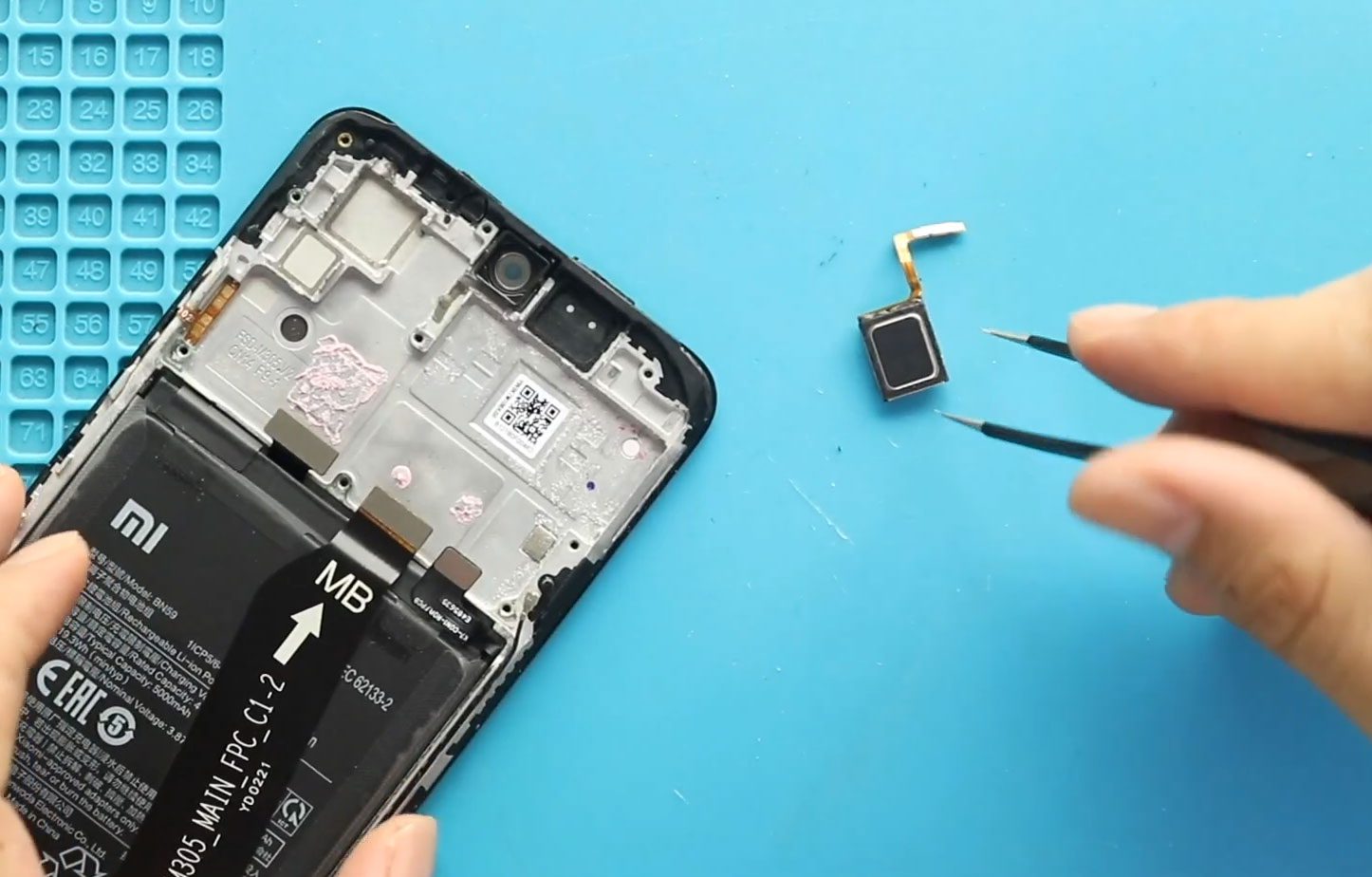
Xiaomi Redmi Note 10 Earpiece Speaker Replacement | Note 10s
If the earpiece speaker on your Xiaomi Redmi Note 10 or Redmi Note 10S is not working properly, replacing the earpiece can restore normal sound during phone calls. Common signs of an earpiece problem include no sound from the earpiece, very quiet call audio, distorted sound, or an earpiece that has stopped working.
This guide explains the Xiaomi Redmi Note 10 / Note 10S earpiece replacement process, including opening the phone, removing the back cover, camera lens frame, mid frame, and logic board, replacing the faulty earpiece, and reassembling the phone.
The same repair procedure applies to the Redmi Note 10 and Redmi Note 10S covered by the repair video.
Repair Information
| Information | Details |
|---|---|
| Devices | Xiaomi Redmi Note 10 / Redmi Note 10S |
| Repair Type | Earpiece Speaker Replacement |
| Difficulty | ★★★★☆ |
| Estimated Time | 35–45 minutes |
| Replacement Part | Compatible Redmi Note 10 / Note 10S earpiece |
Reasons for the Repair
You may need to replace the earpiece if:
- You cannot hear the other person during phone calls.
- Call audio from the earpiece is very quiet.
- The earpiece produces distorted or unclear sound.
- The earpiece has stopped working.
- The earpiece is visibly damaged.
Keep in mind that poor call audio can sometimes have other causes, so replacing the earpiece is most appropriate when the earpiece itself is suspected to be faulty.
Before You Begin
Compatibility and Model Numbers
- Redmi Note 10
- Redmi Note 10s
Model Numbers : M2101K7AI, M2101K7AG, M2101K7BG, M2101K7BI, M2101K7BNY, M2101K7BL
Battery Model BN59
Tools Required
- Mobile phone heating pad or hairdryer/heat gun
- Plastic pry tool / card pry
- Suction cups
- Phillips #00/#000 screwdrivers
- Torx (T2/T3/T4) screwdrivers
- Flathead screwdriver
- Tweezers (for connectors)
- B7000 glue or double-sided adhesive (for back cover)
- Rubber bands or bonding clips to secure the back cover
How to Find Tools and Parts
- Heating pad – https://amzn.to/3H0tHzJ
- Portable Heat Gun – https://amzn.to/4mszih1
- Clamps https://amzn.to/3GYJT4w
- STREBITO 142 Piece Repair Tool Kit https://amzn.to/3UO1jUx
- Glue | Adhesive https://amzn.to/46exVxe
- Compatible Parts –
- Battery – https://amzn.to/4nnTu3U
- Screen – https://amzn.to/3WPEvEP
- Other Parts – https://amzn.to/3JqYKWm
- Silicone Work Repair Mat https://amzn.to/45Emz5l
Step-by-Step Earpiece Replacement
1. Open the Phone
Begin by opening the Redmi Note 10 / Note 10S so the internal components can be accessed.
2. Remove the Back Cover
Carefully remove the back cover from the phone.
3. Remove the Camera Lens Frame
Remove the camera lens frame to continue accessing the internal components.
4. Remove the Mid Frame
Remove the mid frame from the phone to expose the components underneath.
5. Remove the Logic Board
Carefully remove the logic board to access the faulty earpiece.
6. Remove the Non-Working Earpiece
Remove the earpiece that is no longer working.
7. Install the New Earpiece
Place the new compatible earpiece into the phone.
8. Reinstall the Logic Board
Place the logic board back into its original position.
9. Reinstall the Mid Frame
Reinstall the mid frame and secure the phone’s internal assembly.
10. Reinstall the Camera Lens Frame
Place the camera lens frame back into position.
11. Close the Phone
Finish the repair by closing the phone and reinstalling the back cover.
FAQ
Why is my Redmi Note 10 earpiece not working?
A faulty or damaged earpiece can cause little or no sound during calls. Other phone or software issues can also affect call audio, so the earpiece should be replaced when it is identified as the likely cause.
Can I replace the Redmi Note 10S earpiece?
Yes. The repair procedure shown in this guide applies to both the Redmi Note 10 and Redmi Note 10S.
What needs to be removed to replace the earpiece?
The repair involves removing the back cover, camera lens frame, mid frame, and logic board before removing the non-working earpiece.
Will replacing the earpiece fix quiet call audio?
If the earpiece itself is faulty, replacing it may restore normal call audio. If the problem remains, another issue may be responsible.
Is this repair suitable for beginners?
The repair requires several internal components to be removed and reinstalled, including the logic board. It is best performed carefully with appropriate phone repair experience and tools.
Troubleshooting
The new earpiece still has no sound
Check that the earpiece replacement was completed correctly and that the internal components were properly reinstalled. If the problem continues, the issue may not be caused by the earpiece itself.
The call sound is still very quiet
A replacement earpiece may not resolve the problem if another part of the phone is affecting call audio.
The earpiece works inconsistently
Intermittent call audio can have more than one possible cause. If the new earpiece does not resolve the issue, further inspection may be required.
The phone does not work normally after reassembly
Review the reassembly steps and make sure the logic board, mid frame, camera lens frame, and back cover have been properly placed.
The back cover does not sit correctly
Make sure the back cover has been positioned correctly during final reassembly.
Conclusion
Replacing a faulty earpiece can help restore normal call audio on the Xiaomi Redmi Note 10 and Redmi Note 10S. The repair requires access to the internal assembly, removal of the logic board, replacement of the non-working earpiece, and careful reassembly of the phone.
Following the repair sequence carefully can make the Redmi Note 10 / Note 10S earpiece replacement more manageable while reducing the chance of problems during reassembly.
Related Guides


-
 01Samsung Galaxy A16 5G Battery Replacement | Full DIY Repair Guide
 -
02Samsung Galaxy A16 5G Screen Replacement | Step-by-Step Guide
-
03Google Pixel 6 Power Button Replacement Guide | Volume Button Flex Repair Guide- DIY Repair
-
04Samsung Galaxy A16 5G Back Cover & Camera Lens Frame Replacement Guide | DIY Repair
-
05Why a Heating Pad Is Essential for Mobile Phone Repairs (And How to Use it)
-
06How to Use a Heat Gun or Hair Dryer for Phone/Tablet Repairs
-
07Essential Repair Tools for Phone, Tablet & Laptop Repairs


