
Now Reading: OnePlus Nord N200 5G Main Flex Replacement Guide – DIY Repair
-
01
OnePlus Nord N200 5G Main Flex Replacement Guide – DIY Repair
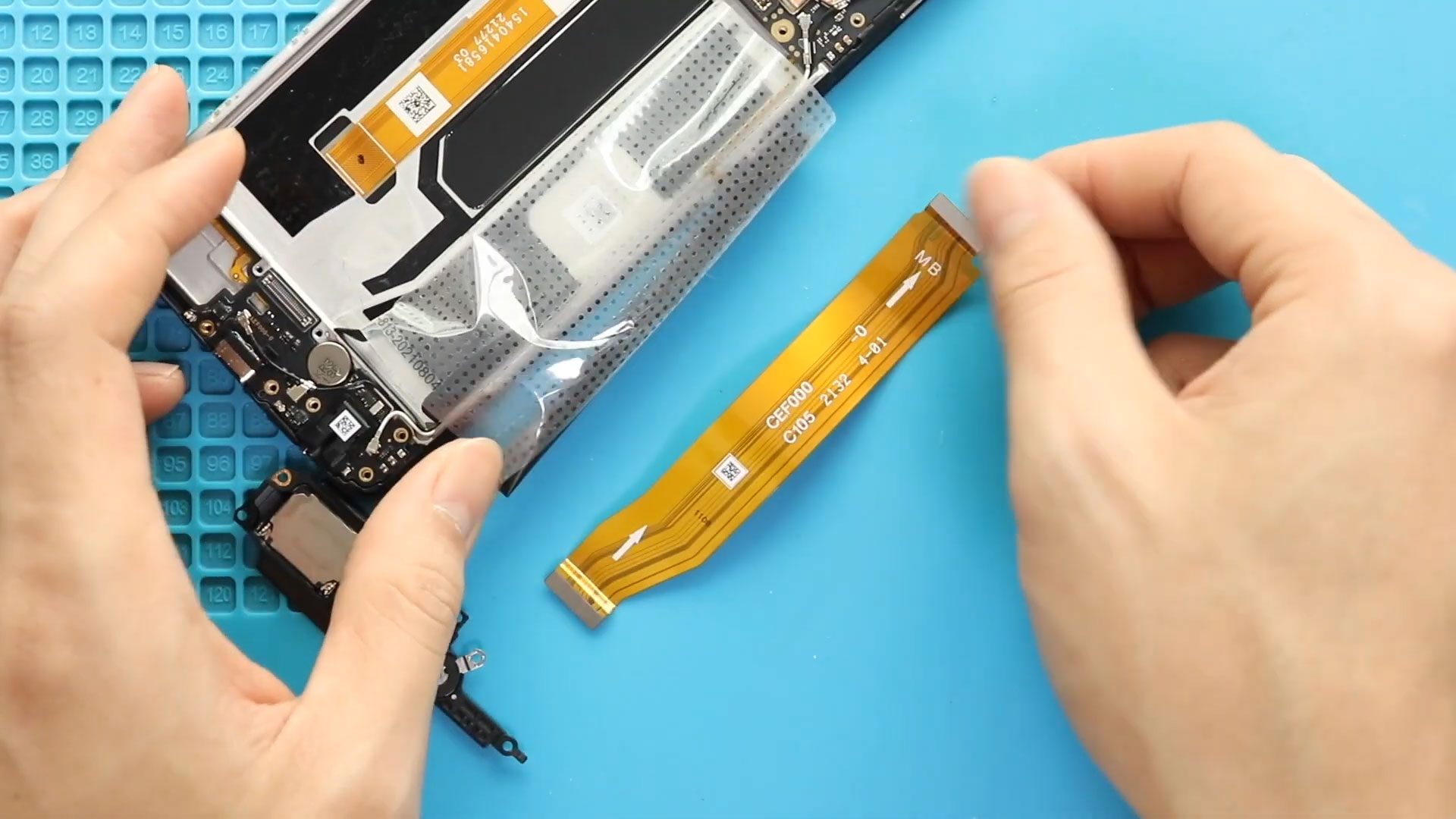
OnePlus Nord N200 5G Main Flex Replacement Guide – DIY Repair
If your OnePlus Nord N200 5G is experiencing issues such as unresponsive buttons, charging problems, or connectivity issues, it may be due to a faulty main flex cable. Replacing the main flex can restore full functionality, including charging, volume buttons, and fingerprint sensor performance. This guide provides a detailed, step-by-step approach to safely replace the main flex at home.
Repair Overview
- Device Type: Android Smartphone
- Model: OnePlus Nord N200 5G
- Type of Repair: Earpiece Speaker Replacement
Repair Difficulty ★★★★☆☆☆☆☆ (4/10 – Moderate)
Estimated Time Required : 45–60 Minutes
Reasons for Main Flex Replacement
- Device not charging or slow charging
- Unresponsive or malfunctioning buttons
- Fingerprint sensor not working
- Connectivity issues with microphones or speakers
- Physical damage or wear to the internal flex cable
Before You Begin
Compatibility and Model Numbers
- Oneplus Nord N200 5G
- Oppo A93 5G – Simliar Design (Can use Reference to repair)
This repair guide based on OnePlus N200 5G.
Model Numbers | DE2118, DE2117
Tools Required
- Mobile phone heating pad or hairdryer/heat gun
- Plastic pry tool / card pry
- Suction cups
- Phillips #00/#000 screwdrivers
- Torx T3 / T4 Screwdriver
- Flathead Screwdriver
- Tweezers (for connectors)
- B7000 glue or double-sided adhesive (for back cover)
- Rubber bands or bonding clips to secure the back cover
Using proper tools reduces the risk of damaging the phone.
How to Find Tools and Parts
- Heating pad – https://amzn.to/3H0tHzJ
- Portable Heat Gun – https://amzn.to/4mszih1
- Clamps https://amzn.to/3GYJT4w
- STREBITO 142 Piece Repair Tool Kit https://amzn.to/3UO1jUx
- Glue | Adhesive https://amzn.to/46exVxe
- Compatible Parts –
- Battery – https://amzn.to/3IgZ75c
- Screen – https://amzn.to/46iYhNy
- Other Parts – https://amzn.to/47Hh2N3
- Silicone Work Repair Mat https://amzn.to/45Emz5l
✅ Protect Your Oneplus Nord N200 5G
- Protector For The Screen https://amzn.to/4mcsLq9
- Best Rated Case https://amzn.to/46acCf2
Step-by-Step Main Flex Replacement
Step 1. Opening the Device
Turn off your OnePlus Nord N200 5G completely. Begin by carefully removing the back cover. Use a heating pad or hair dryer to soften the adhesive around the edges. Apply gentle pressure with a suction cup to create a gap and use a plastic card to lift the back cover safely.
Step 2. Removing the Midframe
Remove the SIM tray first. Unscrew all screws securing the midframe. Use a plastic pry tool to carefully lift and remove the midframe, working slowly around the edges to release all plastic clips.
Step 3. Disconnecting Battery and Fingerprint Plug
Before proceeding, disconnect the battery and fingerprint sensor connectors to avoid short circuits and protect internal components during repair.
Step 4. Removing the Battery
Loosen the adhesive around the battery and lift it out gently using the pull tab. Take care not to bend or damage the battery.
Step 5. Removing the Ringer Cover
Locate the ringer cover and remove it carefully. This allows clear access to the main flex and other internal components.
Step 6. Removing the Faulty Main Flex
Locate the existing main flex cable and disconnect all connectors carefully. Lift out the old flex without applying force to nearby components.
Step 7. Installing the New Main Flex
Place the new main flex cable in the same position as the old one. Reconnect all connectors securely, ensuring proper alignment to avoid functionality issues.
Step 8. Reassembling the Device
Reinstall the ringer cover, ensuring it is positioned correctly. Place the battery back into the device and reconnect the battery and fingerprint plugs. Secure the midframe by pressing the clips into place and tightening all screws. Reinsert the SIM tray.
Step 9. Closing the Device
Check that the back cover has enough adhesive. If needed, apply B7000 glue or a new double-sided adhesive. Align the back cover carefully, press firmly, and secure with binding clips or rubber bands. Leave it to set for the recommended time to ensure a proper seal.
Frequently Asked Questions (FAQ)
Q1: Can I replace the main flex cable myself?
Yes, with the right tools and careful handling, this moderate-level repair is achievable at home.
Q2: How do I know if the main flex is faulty?
Common signs include unresponsive buttons, charging issues, or a non-functional fingerprint sensor.
Q3: Will replacing the main flex affect other components?
No, as long as you disconnect the battery and fingerprint sensor carefully and avoid applying force to the logic board.
Q4: What adhesive should I use for the back cover?
B7000 glue or a double-sided pre-cut adhesive ensures a secure fit for the back cover.
Troubleshooting After Replacement
Q1: Buttons or fingerprint sensor not working?
- Ensure all flex connectors are seated properly.
- Verify that the midframe is aligned and clips are fully engaged.
Q2: Device still not charging?
- Check the main flex connections for proper alignment.
- Inspect the USB port for debris or damage.
Q3: Back cover not sticking well?
- Apply additional adhesive and use binding clips or rubber bands.
- Allow sufficient time for the glue to cure.
Q4: Device powering off unexpectedly?
- Make sure the battery is correctly positioned and connectors are secure.
Replacing the main flex on your OnePlus Nord N200 is a moderate-level repair that can significantly restore your phone’s overall connectivity and internal functionality. With patience, proper heating, and careful disassembly, this repair can be completed successfully at home.
Related Guides


-
 01Samsung Galaxy A16 5G Battery Replacement | Full DIY Repair Guide
 -
02Samsung Galaxy A16 5G Screen Replacement | Step-by-Step Guide
-
03Google Pixel 6 Power Button Replacement Guide | Volume Button Flex Repair Guide- DIY Repair
-
04Samsung Galaxy A16 5G Back Cover & Camera Lens Frame Replacement Guide | DIY Repair
-
05Why a Heating Pad Is Essential for Mobile Phone Repairs (And How to Use it)
-
06How to Use a Heat Gun or Hair Dryer for Phone/Tablet Repairs
-
07Essential Repair Tools for Phone, Tablet & Laptop Repairs


